HackTheBox Sherlock: Unit42 - Sysmon Log Analysis

Sherlock Scenario
In this Sherlock, you will familiarize yourself with Sysmon logs and various useful EventIDs for identifying and analyzing malicious activities on a Windows system. Palo Alto’s Unit42 recently conducted research on an UltraVNC campaign, wherein attackers utilized a backdoored version of UltraVNC to maintain access to systems. This lab is inspired by that campaign and guides participants through the initial access stage of the campaign.
Artefacts provided

We are given a file named unit42.zip, which contains the following Sysmon log:
- Microsoft-Windows-Sysmon-Operational.evtx
This log serves as the primary evidence for the investigation.
What is Sysmon?
Sysmon (System Monitor) is a Windows system service and driver developed by Microsoft that provides detailed logging of system activity.
It enhances endpoint visibility by recording events such as:
- Process creation and termination
- File creation and modification
- Network connections
- DNS queries
- File timestamp manipulation (Time Stomping)
Sysmon is widely used by SOC analysts and DFIR teams because it offers high-fidelity telemetry that is critical for detecting and investigating malicious behavior.
Tools Used
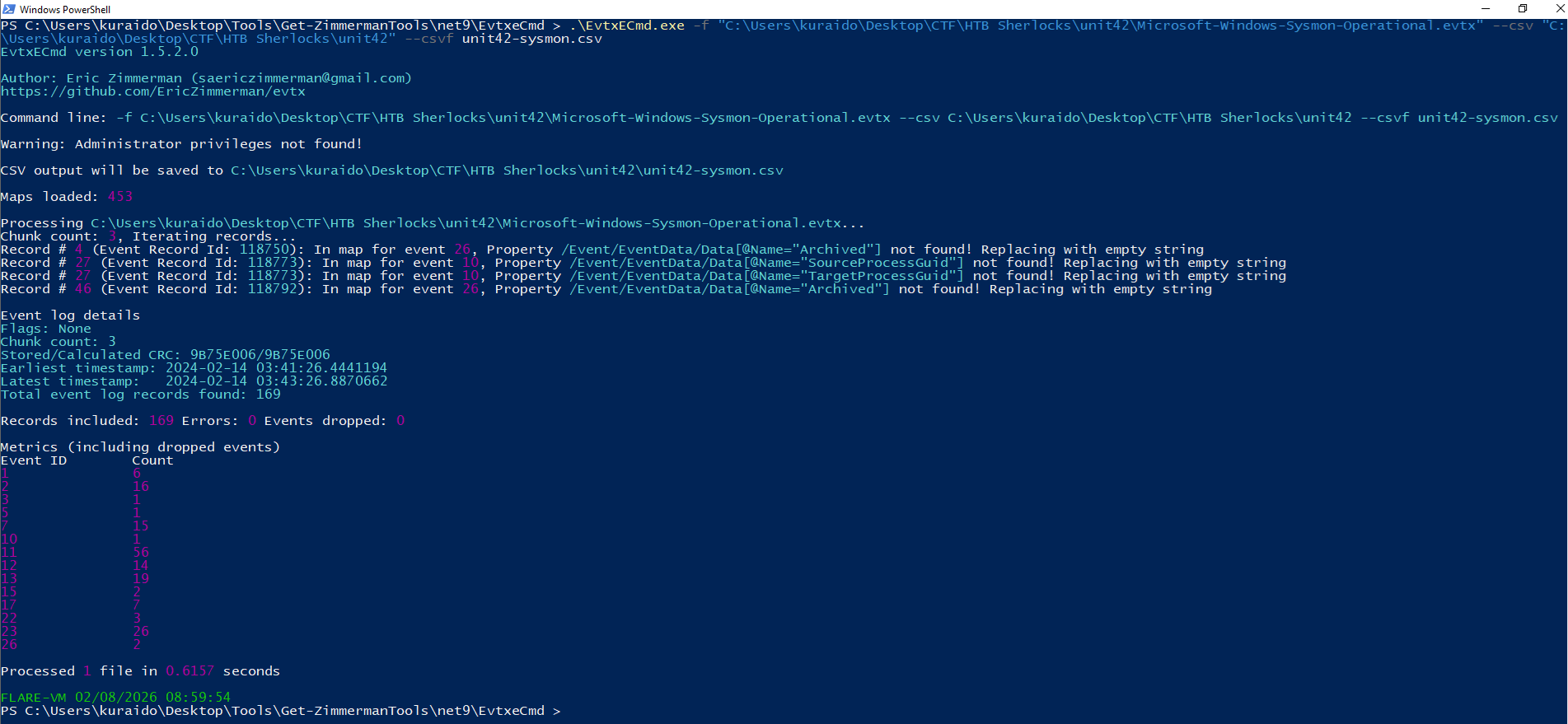

There are multiple tools capable of analyzing EVTX files; however, for this investigation I used Eric Zimmerman’s DFIR toolset, specifically:
- EvtxECmd (to parse the EVTX file into CSV format)
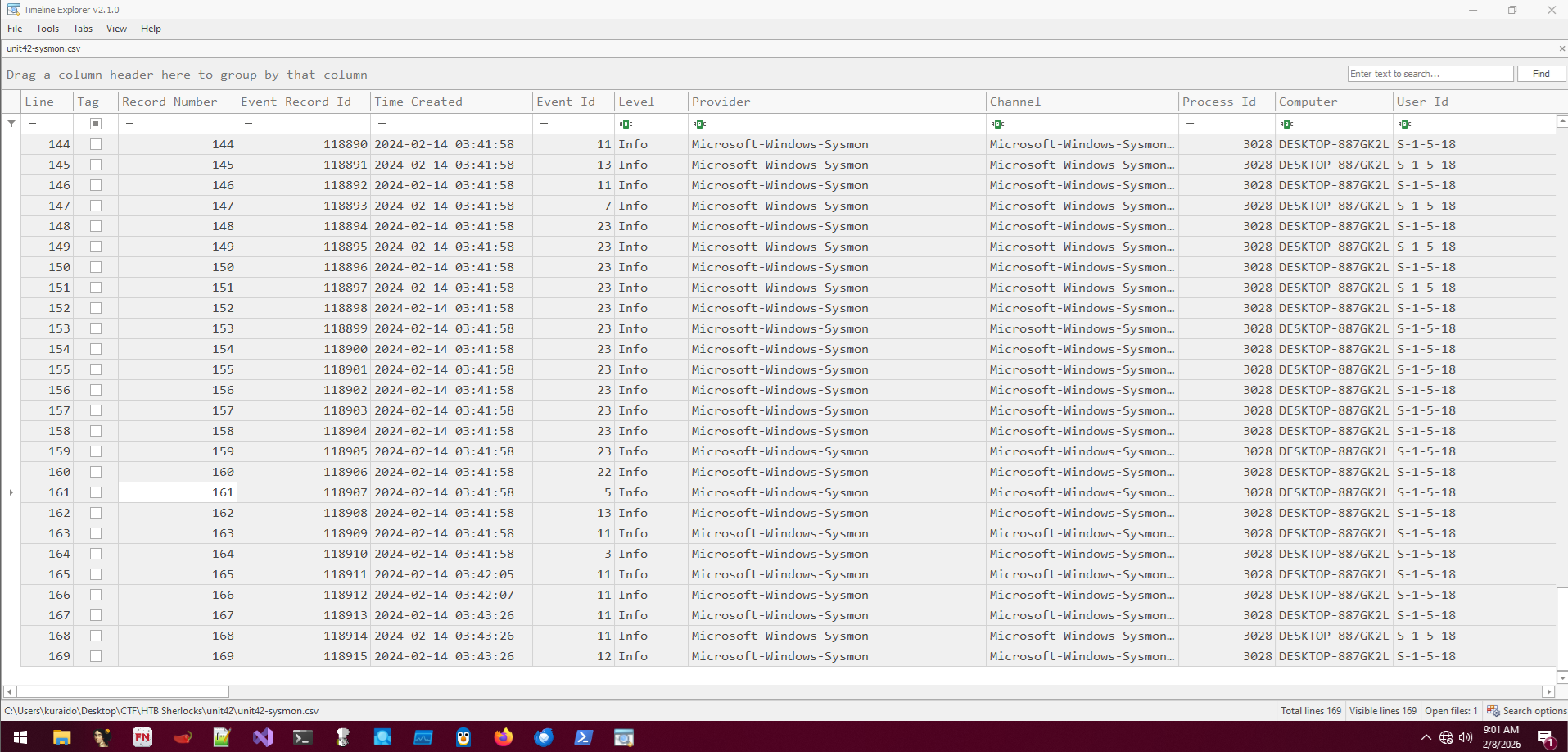
- Timeline Explorer (to analyze and correlate events)
The Sysmon log was parsed into CSV format and analyzed using Timeline Explorer.
Task 1
Question

How many event logs are there with Event ID 11?
What is Event ID 11?
Event ID 11: FileCreate
File create operations are logged when a file is created or overwritten. This event is useful for monitoring autostart locations, like the Startup folder, as well as temporary and download directories, which are common places malware drops during initial infection.
Analysis
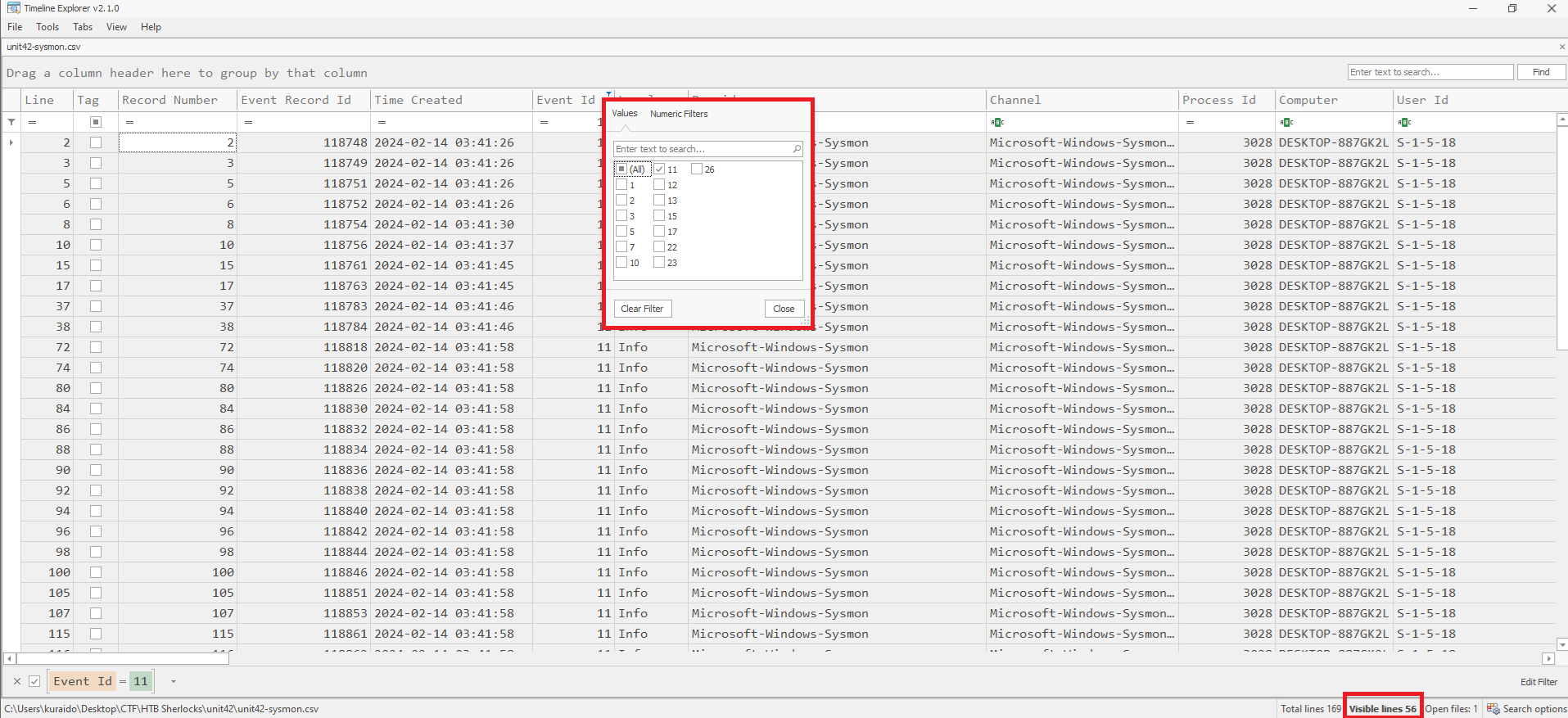
To answer this question, we filter Event ID 11 in Timeline Explorer.
From the filtered results, we can see that there are 56 events associated with Event ID 11.
Task 2
Question

Whenever a process is created in memory, an event with Event ID 1 is recorded with details such as command line, hashes, process path, parent process path, etc. This information is very useful for an analyst because it allows us to see all programs executed on a system, which means we can spot any malicious processes being executed. What is the malicious process that infected the victim’s system?
What is Event ID 1?
Event ID 1: Process creation
The process creation event provides extended information about a newly created process. The full command line provides context on the process execution. The ProcessGUID field is a unique value for this process across a domain to make event correlation easier. The hash is a full hash of the file with the algorithms in the HashType field.
Analysis
To identify the malicious process, we filter Event ID 1 in Timeline Explorer. 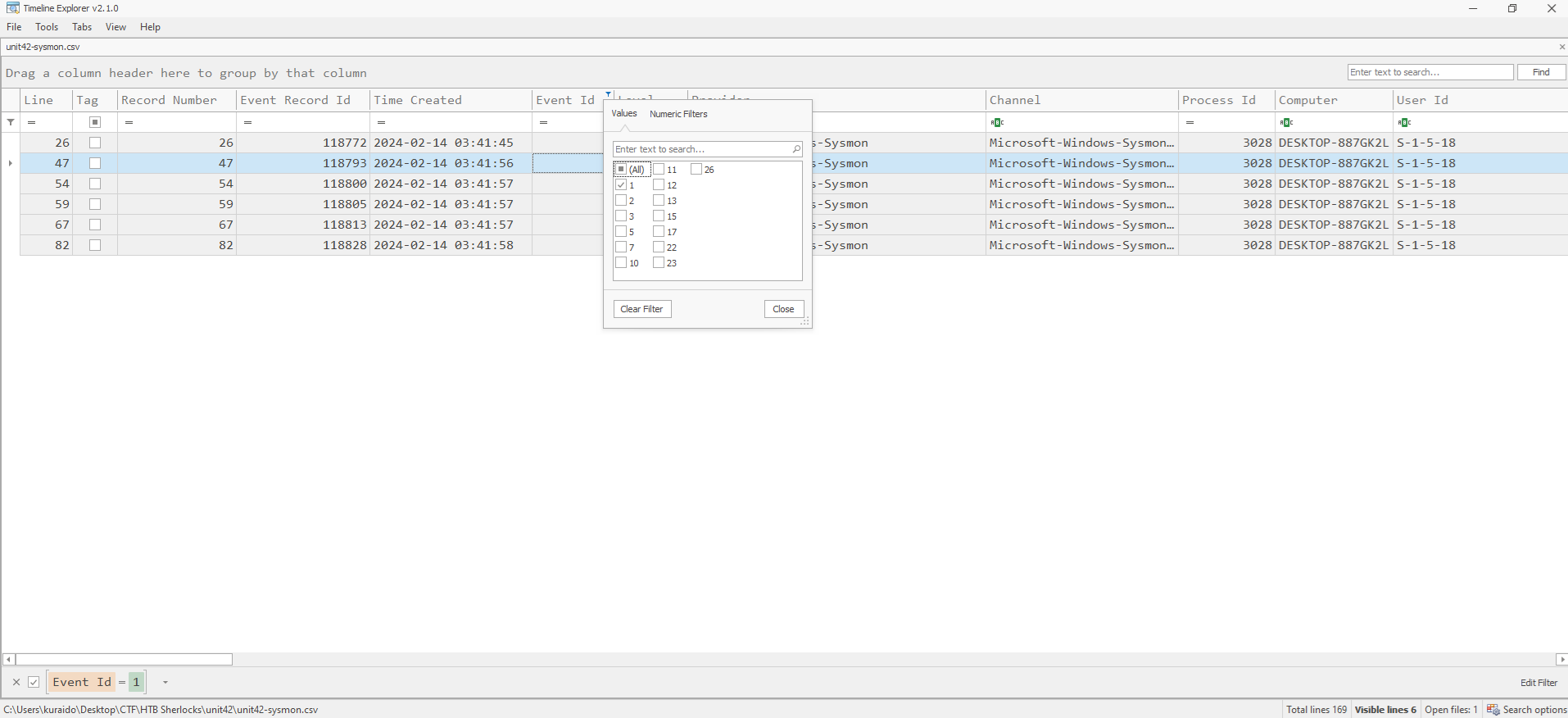
Next, we review the earliest events by starting from the top of the timeline. In the Executable Info column, a suspicious process executed from the Downloads directory is observed, which is unusual for legitimate applications:
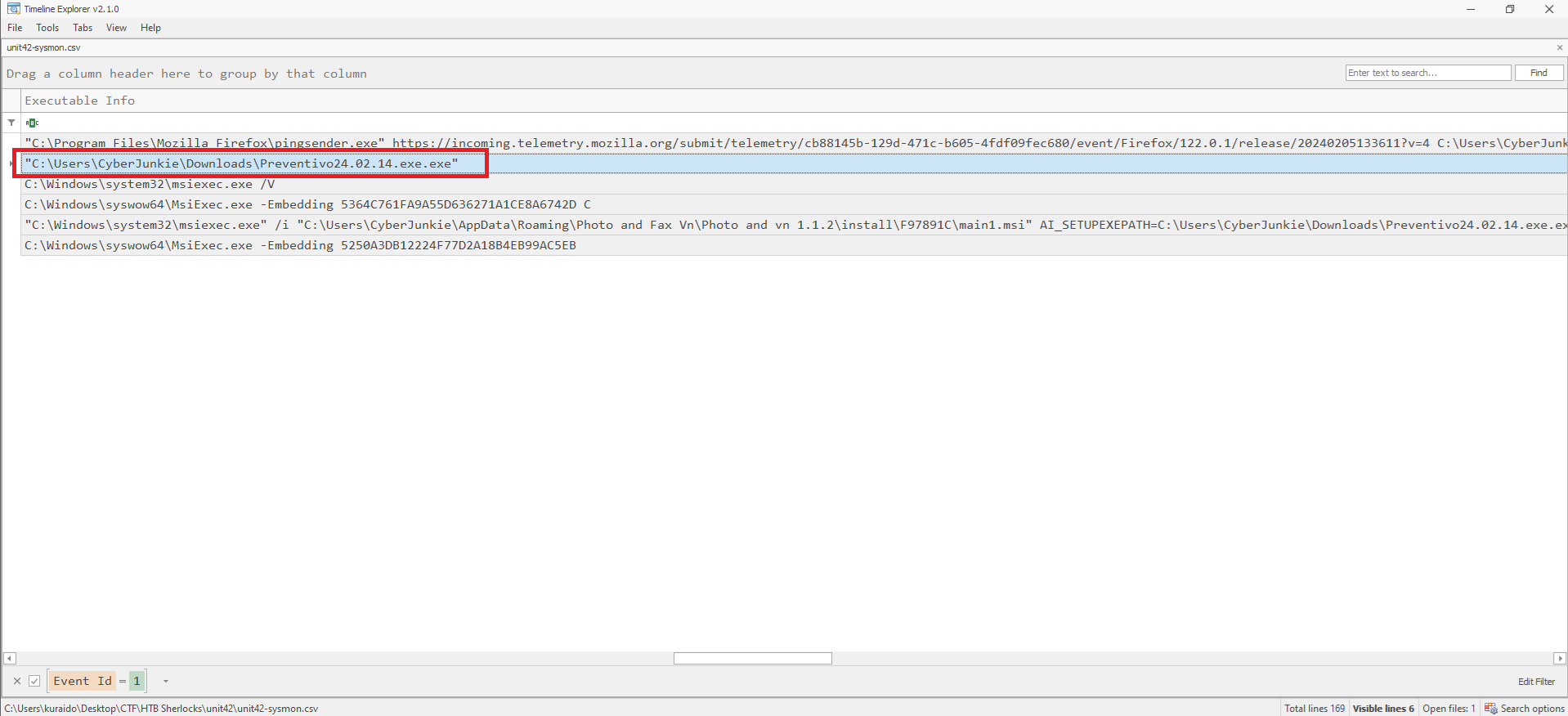
To confirm whether the file is malicious, the hash values found in the Payload Data3 column (MD5 / SHA1 / SHA256) are extracted and checked using VirusTotal. 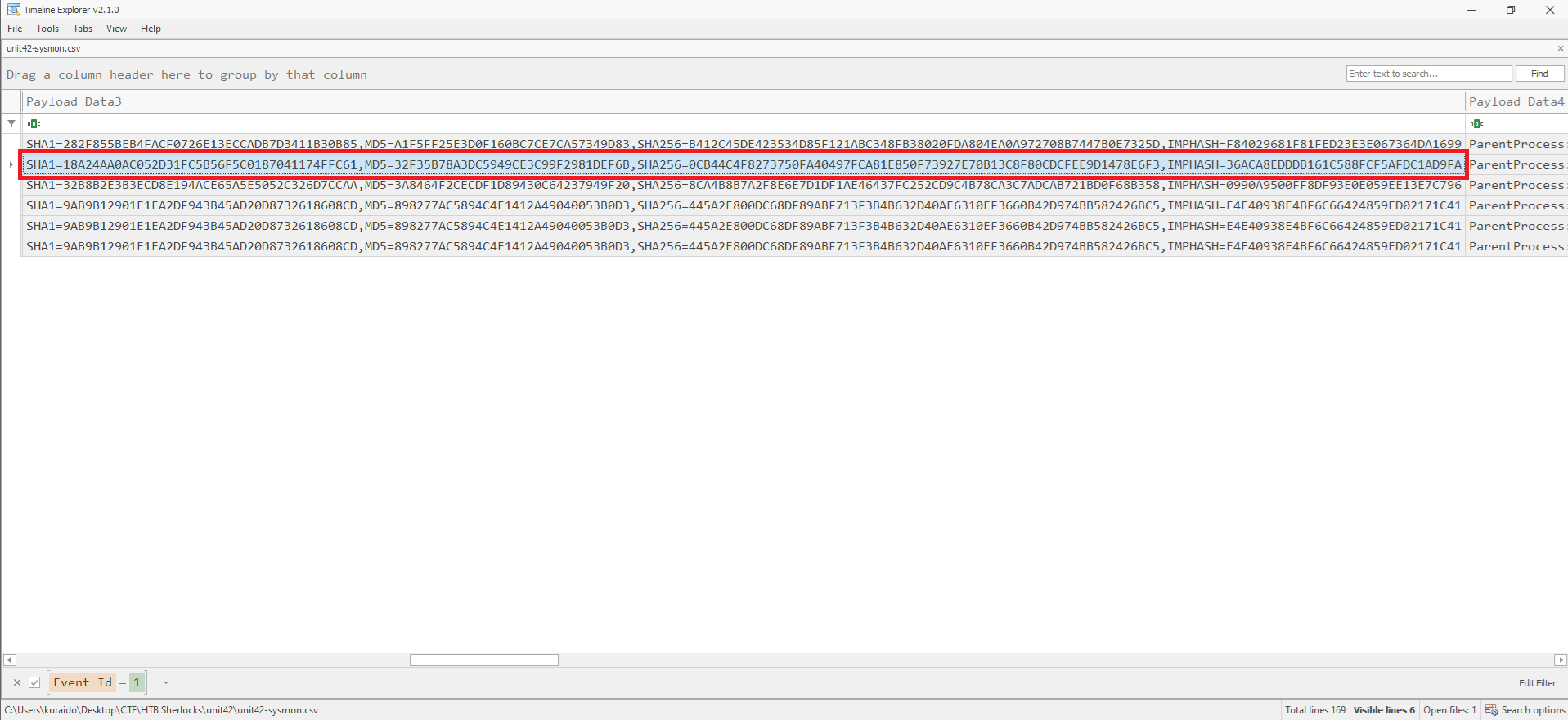
Based on the VirusTotal results, 49 security vendors flagged the file as malicious, confirming it as the malware responsible for infecting the system. 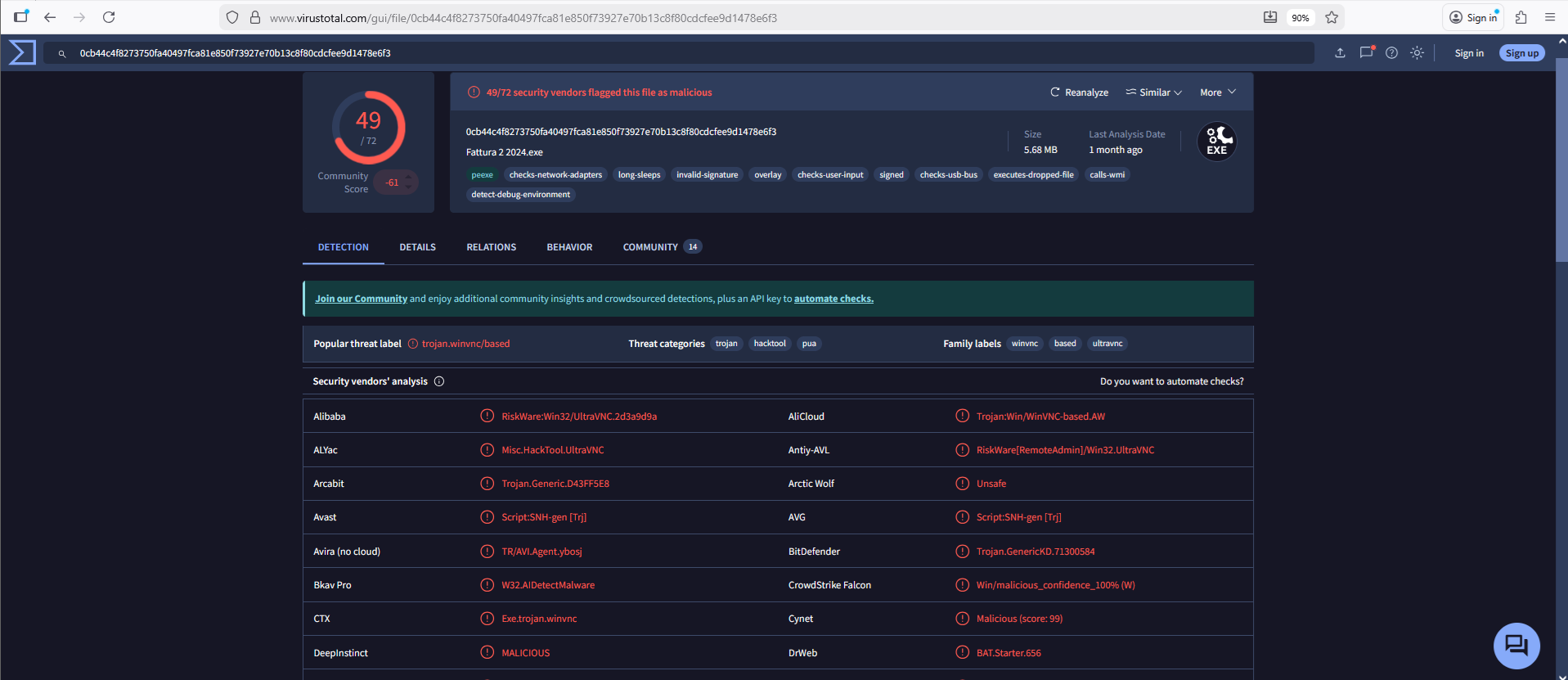
Task 3
Question
 Which cloud drive was used to distribute the malware?
What is Event ID 22?
Event ID 22: DNSEvent (DNS query)
This event is generated when a process executes a DNS query, whether the result is successful or fails, cached or not. The telemetry for this event was added for Windows 8.1 so it is not available on Windows 7 and earlier.
Analysis
To identify the cloud drive used to distribute the malware, we filter Event ID 22 in Timeline Explorer. 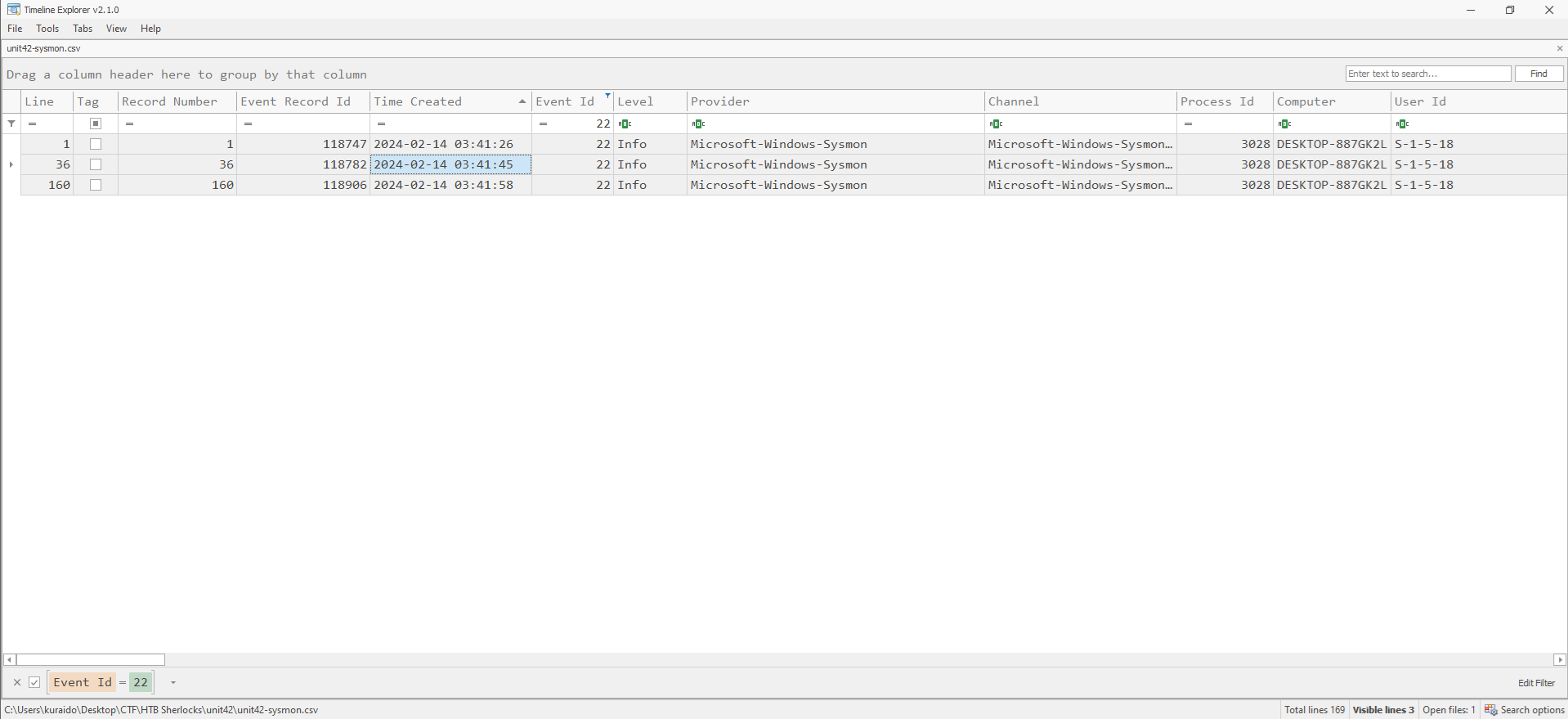 Using the execution timestamp of the malicious file identified in the previous task
(2024-02-14 03:41:56), we focus on DNS queries occurring around that time.
By reviewing the entries in the Payload Data4 column, we can identify the cloud storage domain used by the malware to download or distribute the payload. 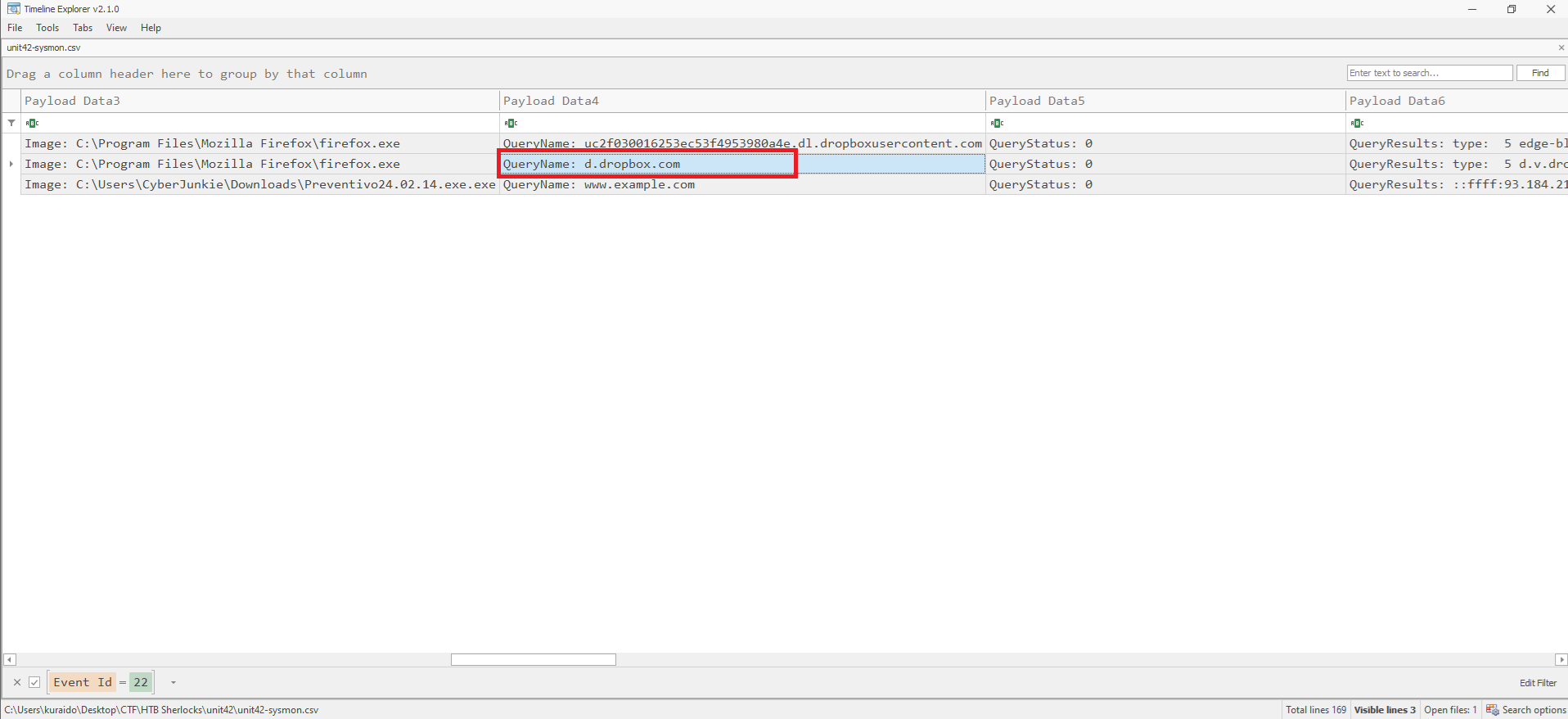
Task 4
Question
 For many of the files it wrote to disk, the initial malicious file used a defense evasion technique called Time Stomping, where the file creation date is changed to make it appear older and blend in with other files. What was the timestamp changed to for the PDF file?
What is Time Stomping?
Time Stomping is a defense evasion technique where attackers modify file timestamps to make malicious files appear older and blend in with legitimate system files.
What is Event ID 2?
Event ID 2: A process changed a file creation time
The change file creation time event is registered when a file creation time is explicitly modified by a process. This event helps tracking the real creation time of a file. Attackers may change the file creation time of a backdoor to make it look like it was installed with the operating system. Note that many processes legitimately change the creation time of a file; it does not necessarily indicate malicious activity.
Analysis
To identify Time Stomping activity, we filter Event ID 2 in Timeline Explorer. 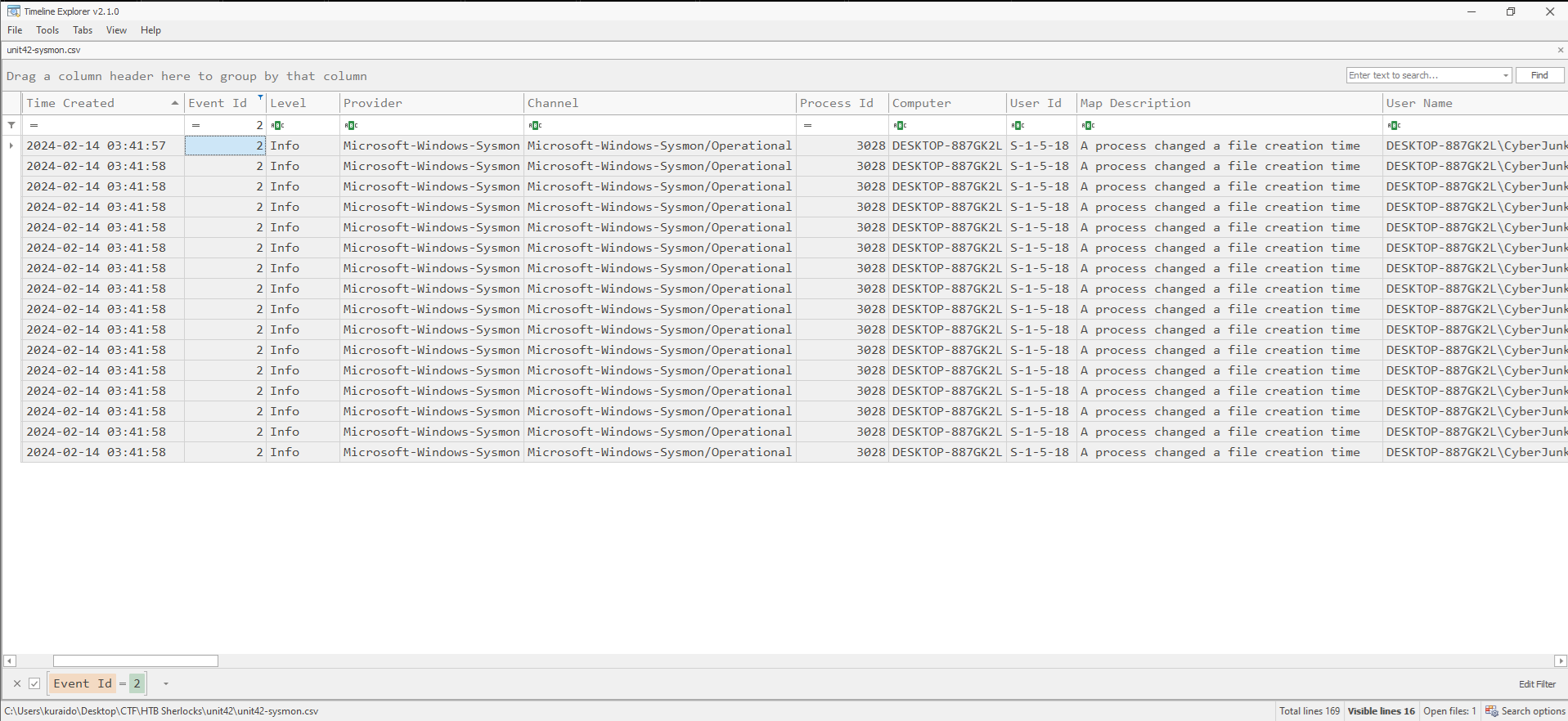
Since the question specifically references a PDF file, we focus on entries where the TargetFilename corresponds to a PDF. Upon reviewing the logs, a PDF file located at the following path is observed with a modified creation timestamp: 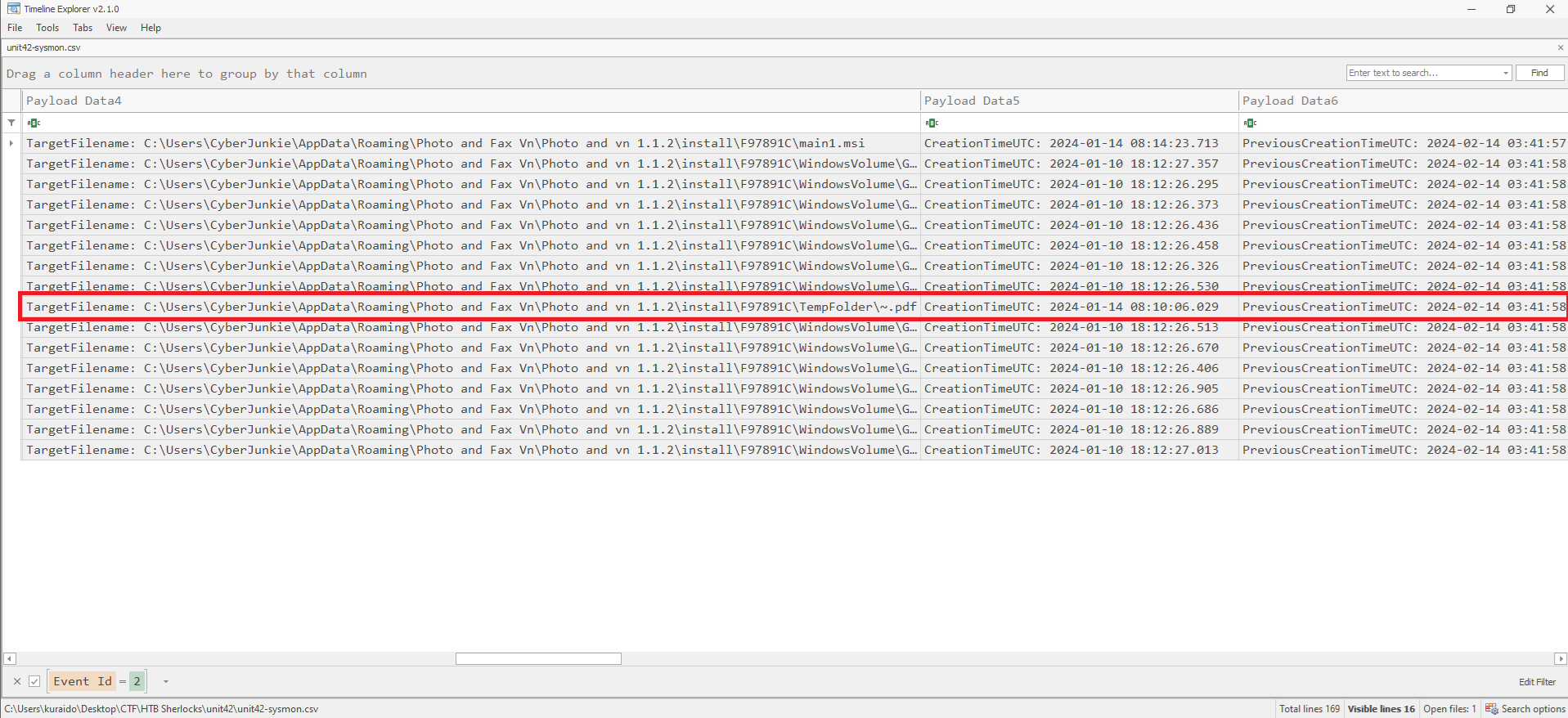
This indicates that the file’s creation timestamp was deliberately altered as part of the malware’s defense evasion technique.
Task 5
Question
 The malicious file dropped a few files on disk. Where was “once.cmd” created on disk? Please answer with the full path along with the filename.
What is Event ID 11?
Event ID 11: FileCreate
File create operations are logged when a file is created or overwritten. This event is useful for monitoring autostart locations, like the Startup folder, as well as temporary and download directories, which are common places malware drops during initial infection.
Analysis
To locate where once.cmd was created, we filter Event ID 11 in Timeline Explorer and search for once.cmd. 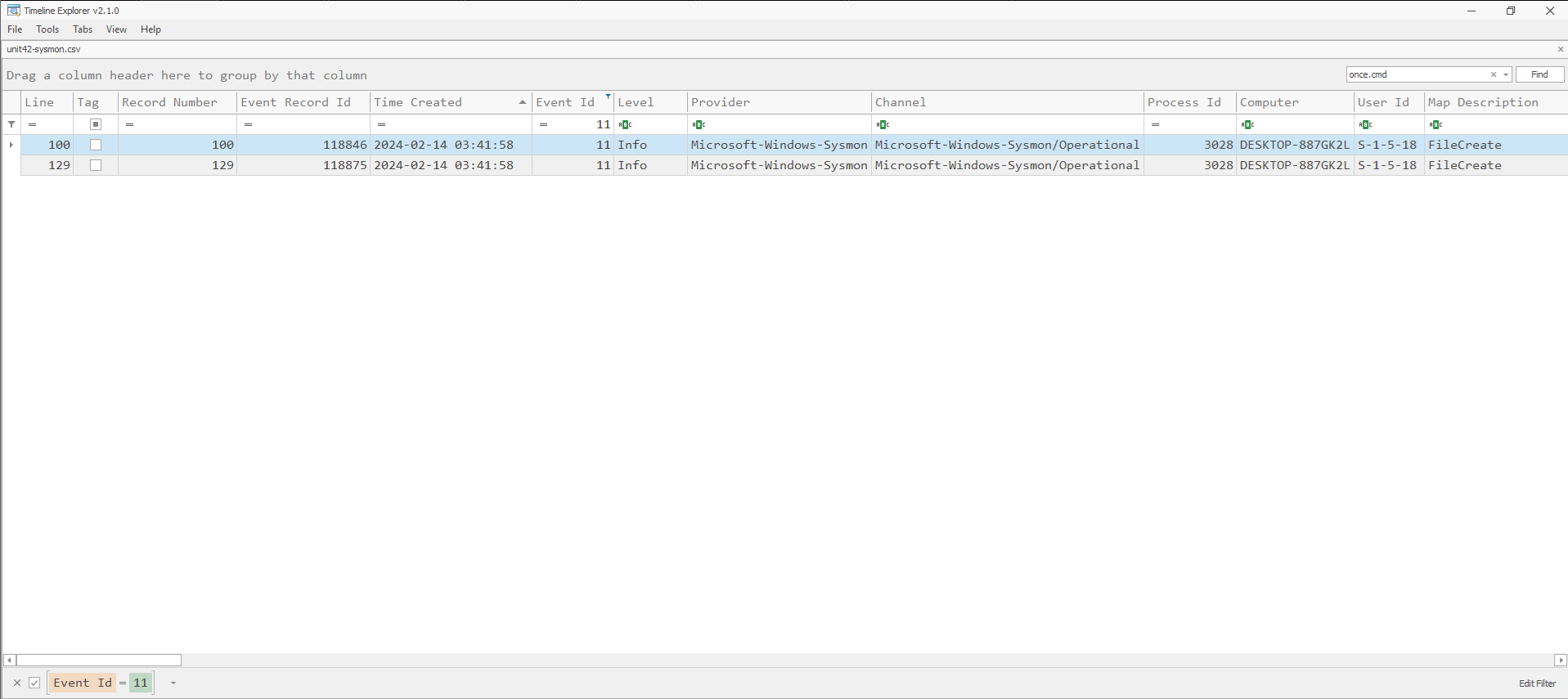
Two matching events are returned. By reviewing the Payload Data4 column, we can identify the full file path where once.cmd was written to disk. 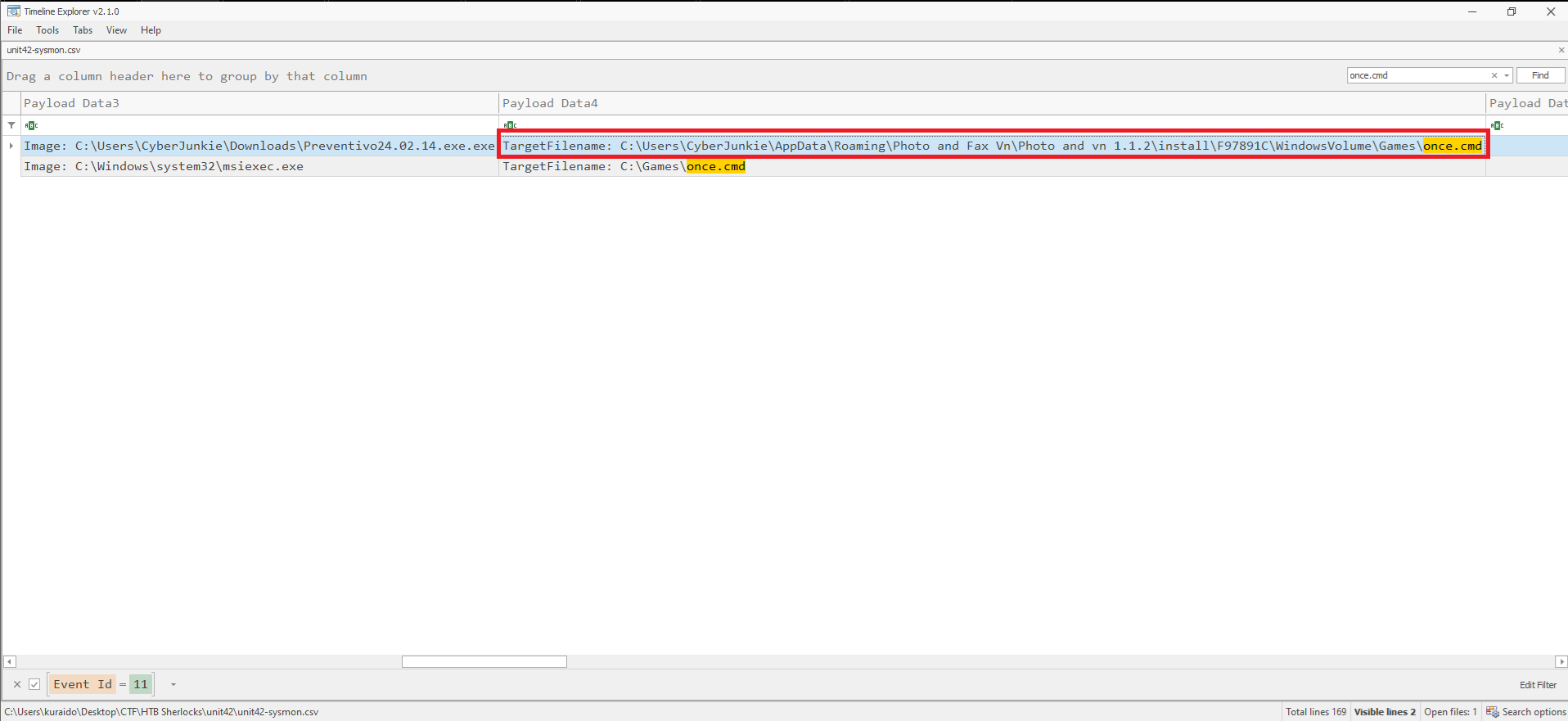
Task 6
Question
 The malicious file attempted to reach a dummy domain, most likely to check the internet connection status. What domain name did it try to connect to?
Malware commonly attempts to reach a dummy domain to verify internet connectivity before continuing execution. If connectivity is confirmed, the malware may proceed to download additional payloads or perform further actions. If no connection is detected, the process may terminate to avoid analysis in offline or sandboxed environments.
What is Event ID 22?
Event ID 22: DNSEvent (DNS query)
This event is generated when a process executes a DNS query, whether the result is successful or fails, cached or not. The telemetry for this event was added for Windows 8.1 so it is not available on Windows 7 and earlier.
Analysis
To answer this question, we filter Event ID 22 in Timeline Explorer. 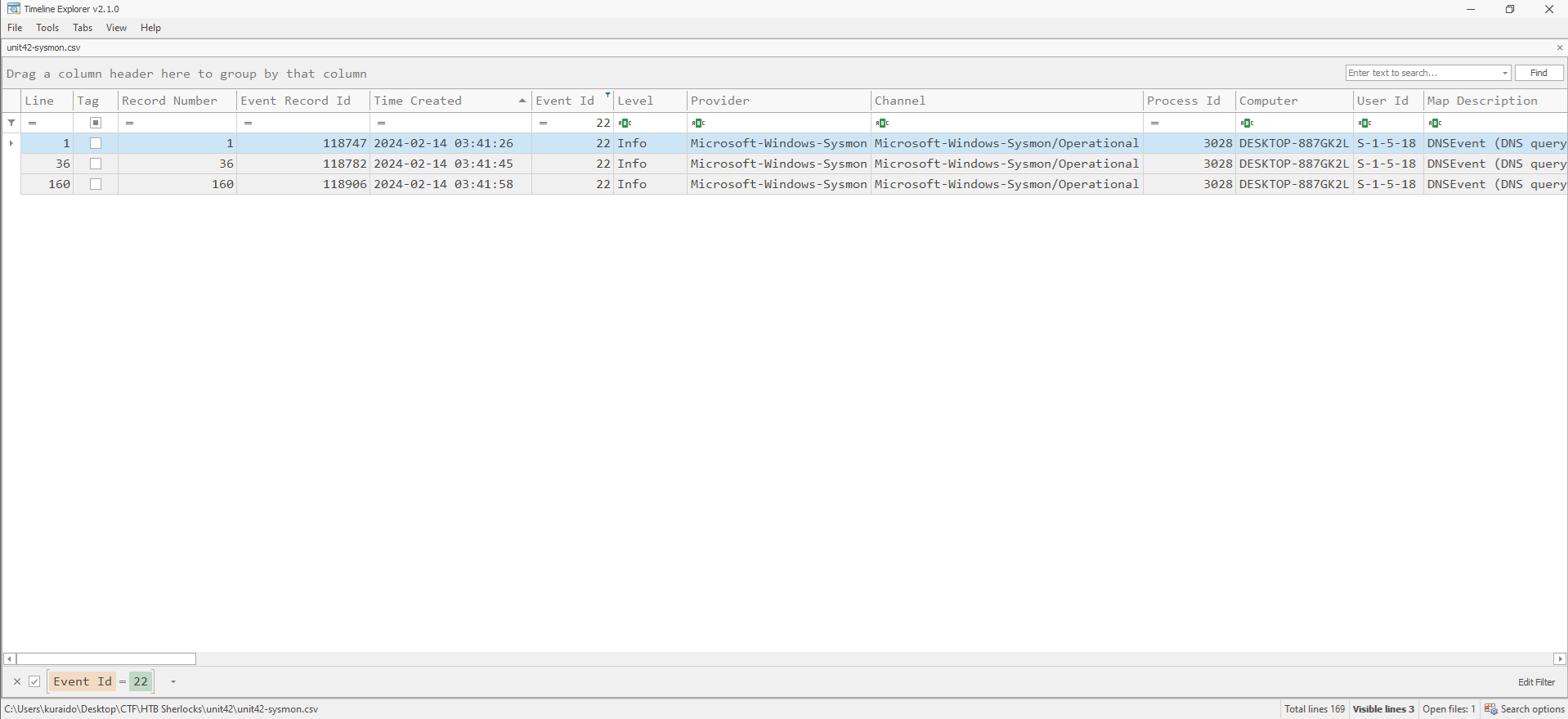
By reviewing DNS queries associated with the malicious process, we can observe that the malware attempted to connect to a dummy domain as part of its connectivity check. 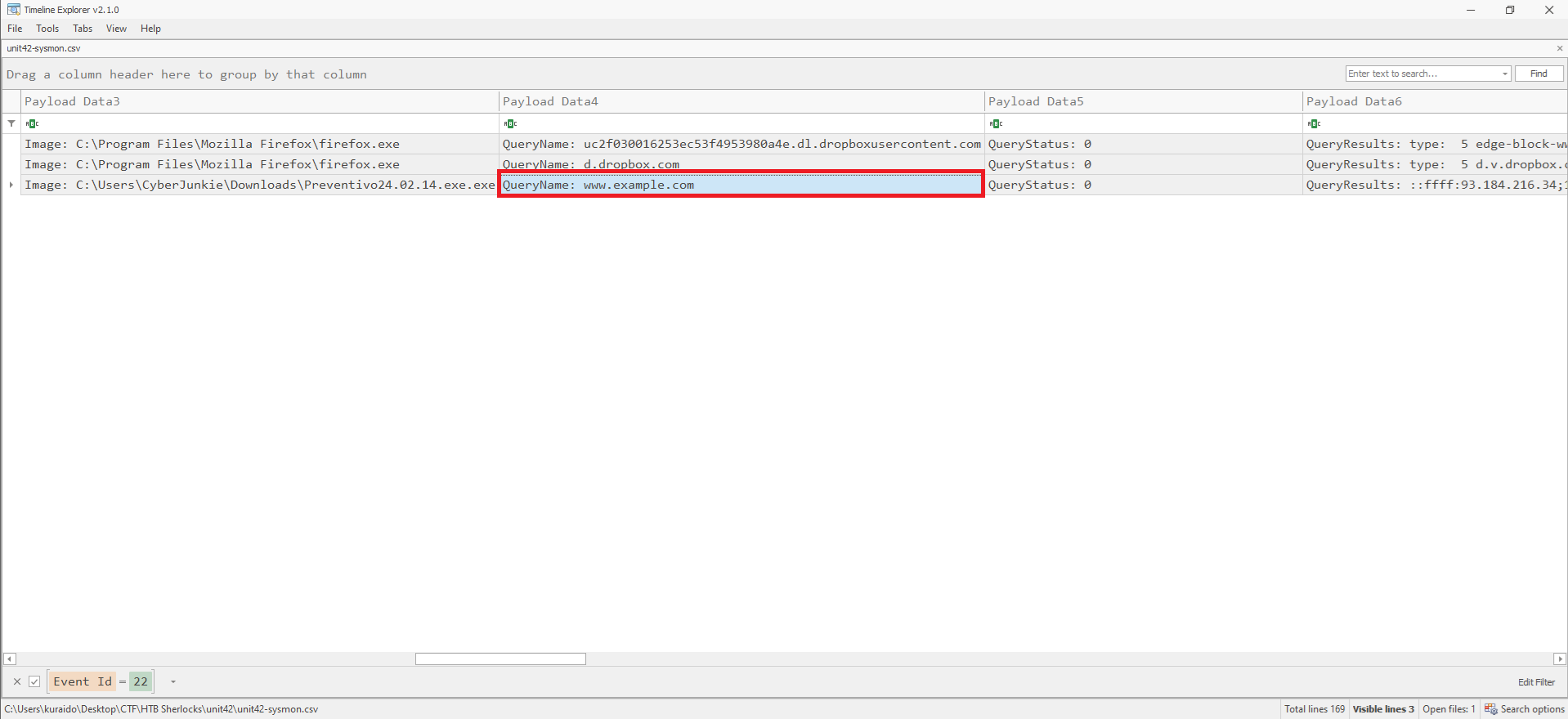
Task 7
Question
 Which IP address did the malicious process try to reach out to?
What is Event ID 3?
Event ID 3: Network connection
The network connection event logs TCP/UDP connections on the machine. It is disabled by default. Each connection is linked to a process through the ProcessId and ProcessGuid fields. The event also contains the source and destination host names, IP addresses, port numbers, and IPv6 status.
Analysis
To identify the IP address contacted by the malicious process, we filter Event ID 3 in Timeline Explorer. 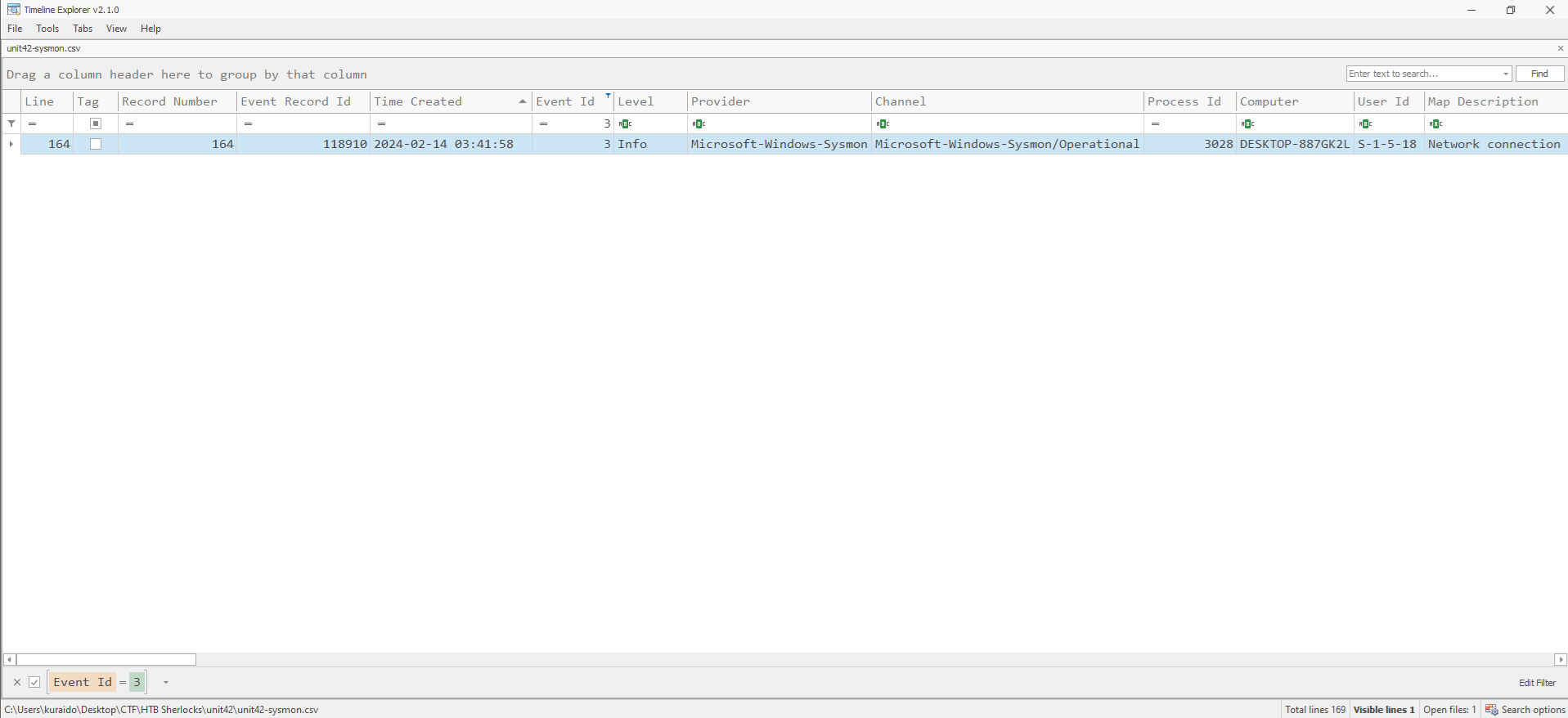
By reviewing the network connection events associated with the malicious process, we can observe an external IP address that the malware attempted to reach. 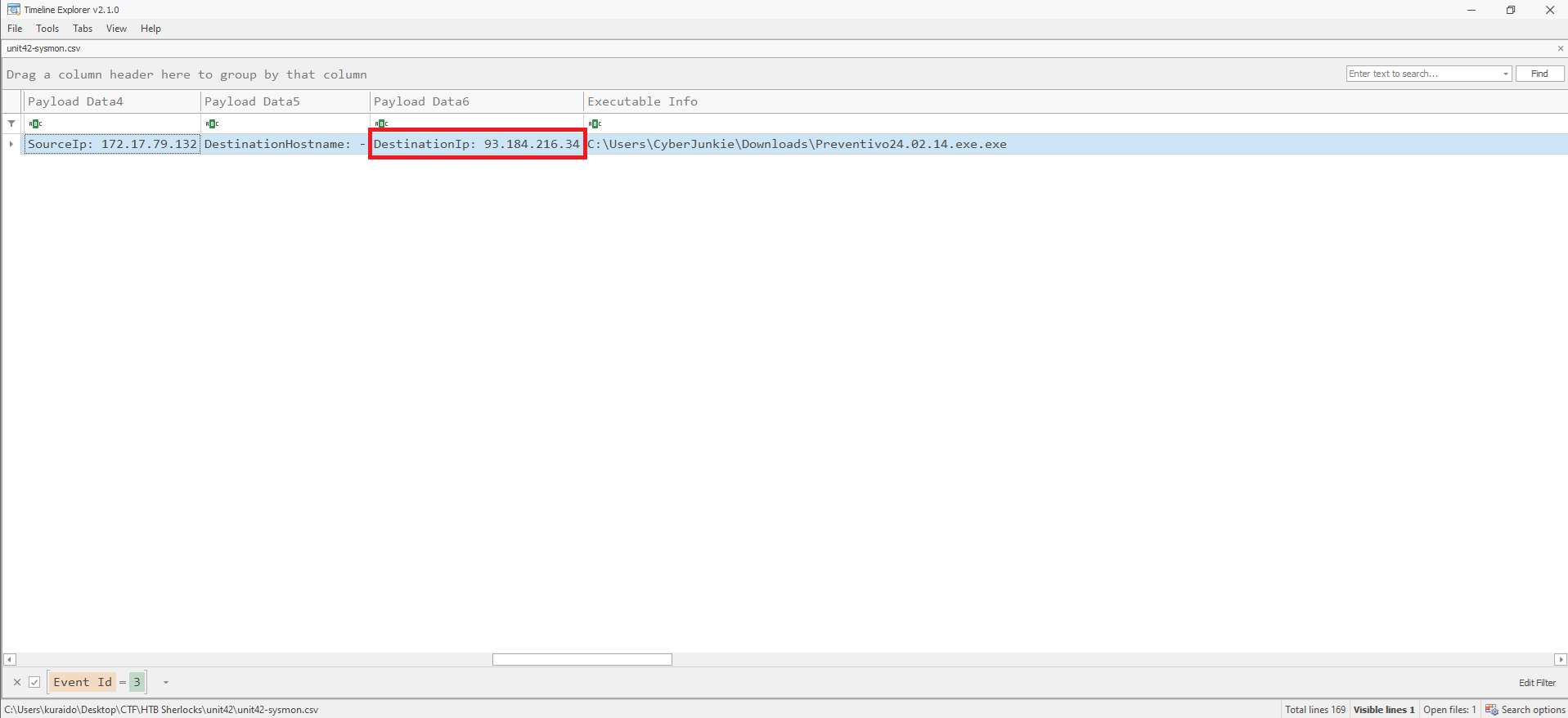
Task 8
Question
 The malicious process terminated itself after infecting the PC with a backdoored variant of UltraVNC. When did the process terminate itself?
What is Event ID 5?
Event ID 5: Process terminated
The process terminate event reports when a process terminates. It provides the UtcTime, ProcessGuid and ProcessId of the process.
Analysis
To determine when the malicious process terminated, we filter Event ID 5 in Timeline Explorer. 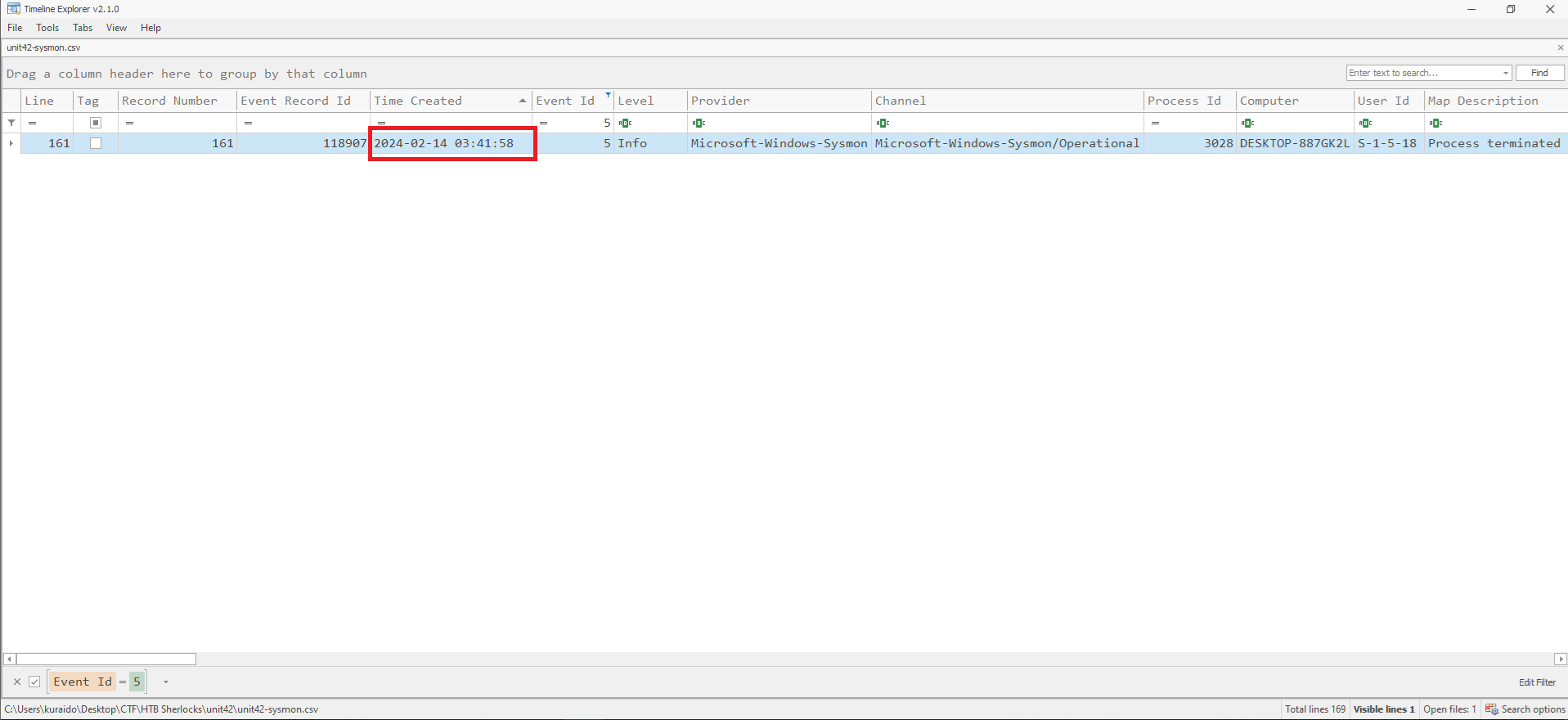
By filtering Event ID 5 (Process terminated) in Timeline Explorer, the termination time of the malicious process can be identified, as shown in the Time Created field.
Additionally, ProcessGuid correlation can be used to associate the termination event with the previously identified malicious process.
Conclusion
Through analysis of the Sysmon logs, we were able to reconstruct the attack chain and identify the malicious process responsible for the infection.
By leveraging key Sysmon Event IDs, including process creation, file creation, DNS queries, network connections, and process termination, we correlated artifacts to uncover malware execution, defense evasion techniques such as time stomping, payload staging, and external communications.
This investigation demonstrates the value of Sysmon telemetry in detecting malicious activity and reconstructing attacker behavior during the initial access phase of an intrusion.